63 22 726 D3561
D3561.201.01.03.02 05.2012
71
Sirona Dental Systems GmbH 4 Operation
Operating Instructions SINIUS / SINIUS CS 4.4 Patient chair
båÖäáëÜ
4.4.8.2
Tilting the patient couch
Tilting the patient couch
Movement of the seat and backrest without any compression or
stretching effects for the patient
Via touchscreen
✔ The
Start program with instrument functions
or the
Manual chair
adjustment
program is displayed on the touchscreen.
➢ Touch the
Tilt patient couch
keys.
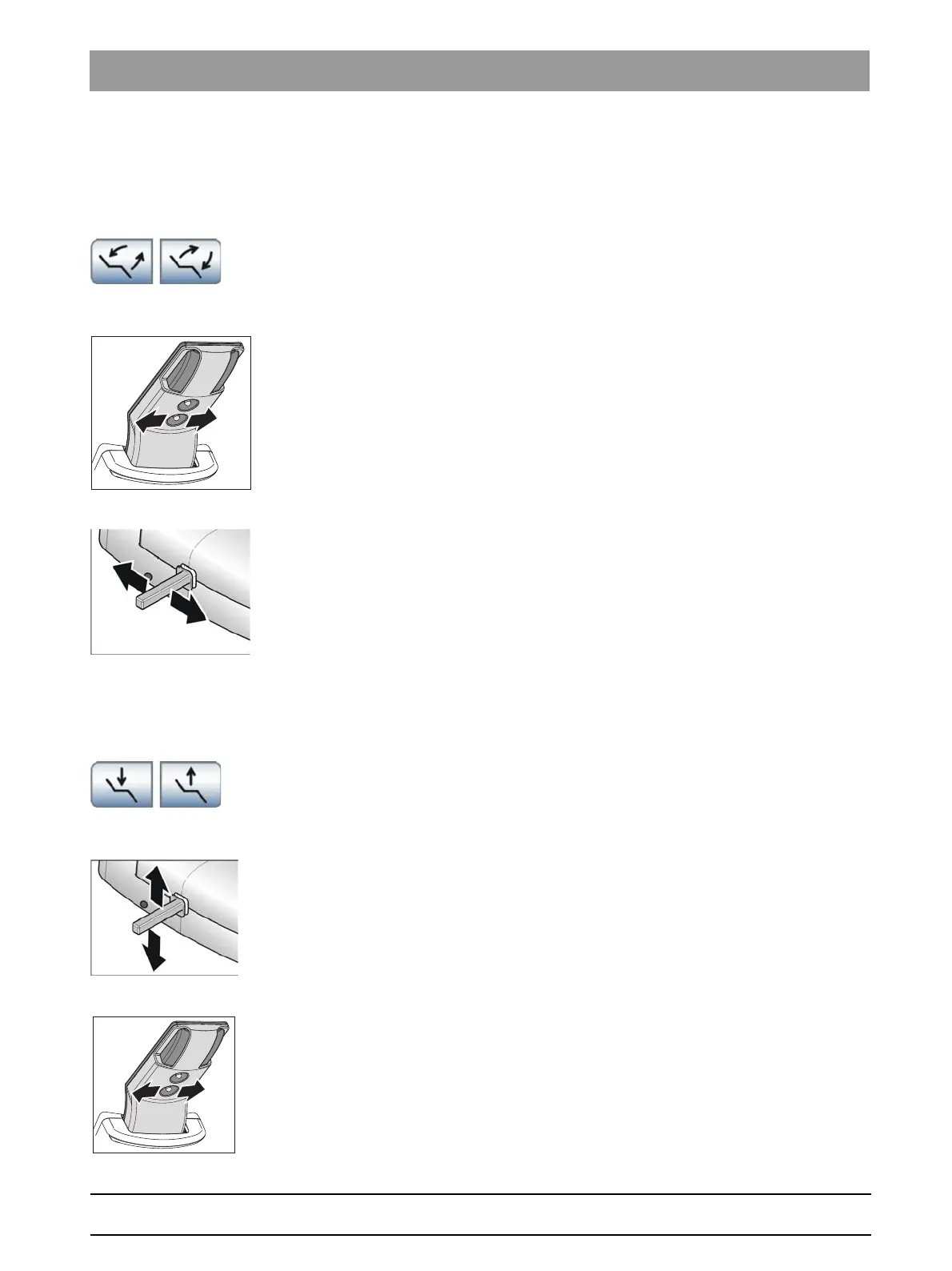
Via the 4-way switch
➢ Slide the upper 4-way switch to the left or right.
Via the 4-way foot switch
✔ In the
Setup program
, control of the
Tilt patient couch
function via the
4-way foot switch was not replaced by the
Headrest inclination
function, see "Linking the headrest inclination to the 4-way foot
switch".
✔ The spray aspirator must be in place when the 4-way foot switch is
allocated to the aspirator in the
Setup program
. See "Linking the
spray aspirator to the 4-way foot switch" [ → 161].
➢ Slide the 4-way foot switch to the left or right.
4.4.8.3
Adjusting the chair height
Adjusting the chair height
Via touchscreen
✔ The
Start program with instrument functions
or the
Manual chair
adjustment
program is displayed on the touchscreen.
➢ Touch the
Chair height adjustment
keys.
Via the 4-way foot switch
✔ The 4-way foot switch is not assigned to the suction system of the
assistant element via the
Setup program
.
➢ Slide the 4-way foot switch upward or downward.
Via the 4-way switch
➢ Slide the lower 4-way switch upward or downward.















 To Next Page