63 22 726 D3561
134 D3561.201.01.03.02 05.2012
4 Operation Sirona Dental Systems GmbH
4.7 Water unit Operating Instructions SINIUS / SINIUS CS
4.7
Water unit
Water unit
4.7.1 Swiveling the cuspidor bowl
Swiveling the cuspidor bowl
The cuspidor on the water unit can be manually swiveled approx. 110 mm
toward the patient chair.
Cuspidor, man ual, starting position
4.7.2 Tumbler filling with automatic sensor control
Tumbler filling with automatic sensor control
The automatic sensor control is not available in all countries.
With this tumbler filler, the automatic sensor control detects the filling
level of the tumbler.
If the tumbler is removed before the preset filling level has been reached,
the water flow stops immediately.
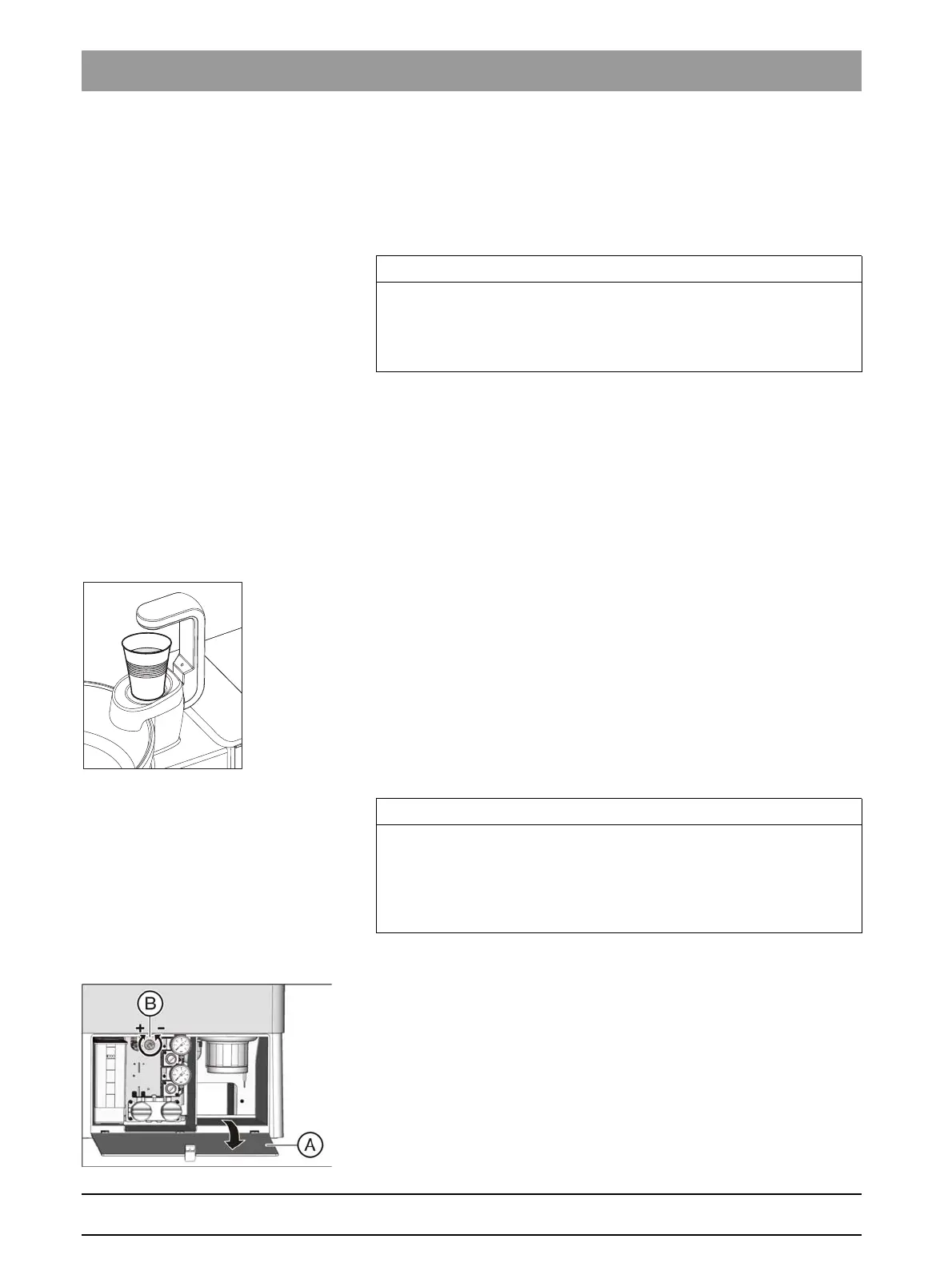
Filling the tumbler
✔ The tumbler must not be transparent.
✔ The tumbler must always be placed in the center of the area provided
for it.
➢ Place the tumbler under the tumbler filler.
The tumbler is filled automatically.
After the preset filling level has been reached, the water flow stops
automatically.
If required, the tumbler can be refilled manually by pressing the
corresponding
Tumbler filling
key; see "Setting the tumbler filling function".
Automatic sensor control after switch-on
Setting the filling level
The tumbler filling level can be preset.
1. Open the maintenance flap (A) on the base of the water unit.
2. Set the filling level with control knob B.
IMPORTANT
Chair movements with cuspidor swiveled in
With the cuspidor bowl swiveled in, the chair cannot be moved. This
prevents the patient from colliding with the cuspidor. Swing the cuspidor
outward before initiating chair movement.
IMPORTANT
Tumbler filling after switch-on
If an empty tumbler is standing below the tumbler filler when the
treatment center is switched on with the main switch, the tumbler will not
be filled automatically. To activate automatic tumbler filling, remove the
tumbler briefly and then put it back again.















 To Next Page