63 22 726 D3561
70 D3561.201.01.03.02 05.2012
4 Operation Sirona Dental Systems GmbH
4.4 Patient chair Operating Instructions SINIUS / SINIUS CS
4.4.8 Moving the chair manually
Moving the chair manually
Swivel arm dentist element, collision, manual movement
Cuspidor, man ual, starting position
4.4.8.1
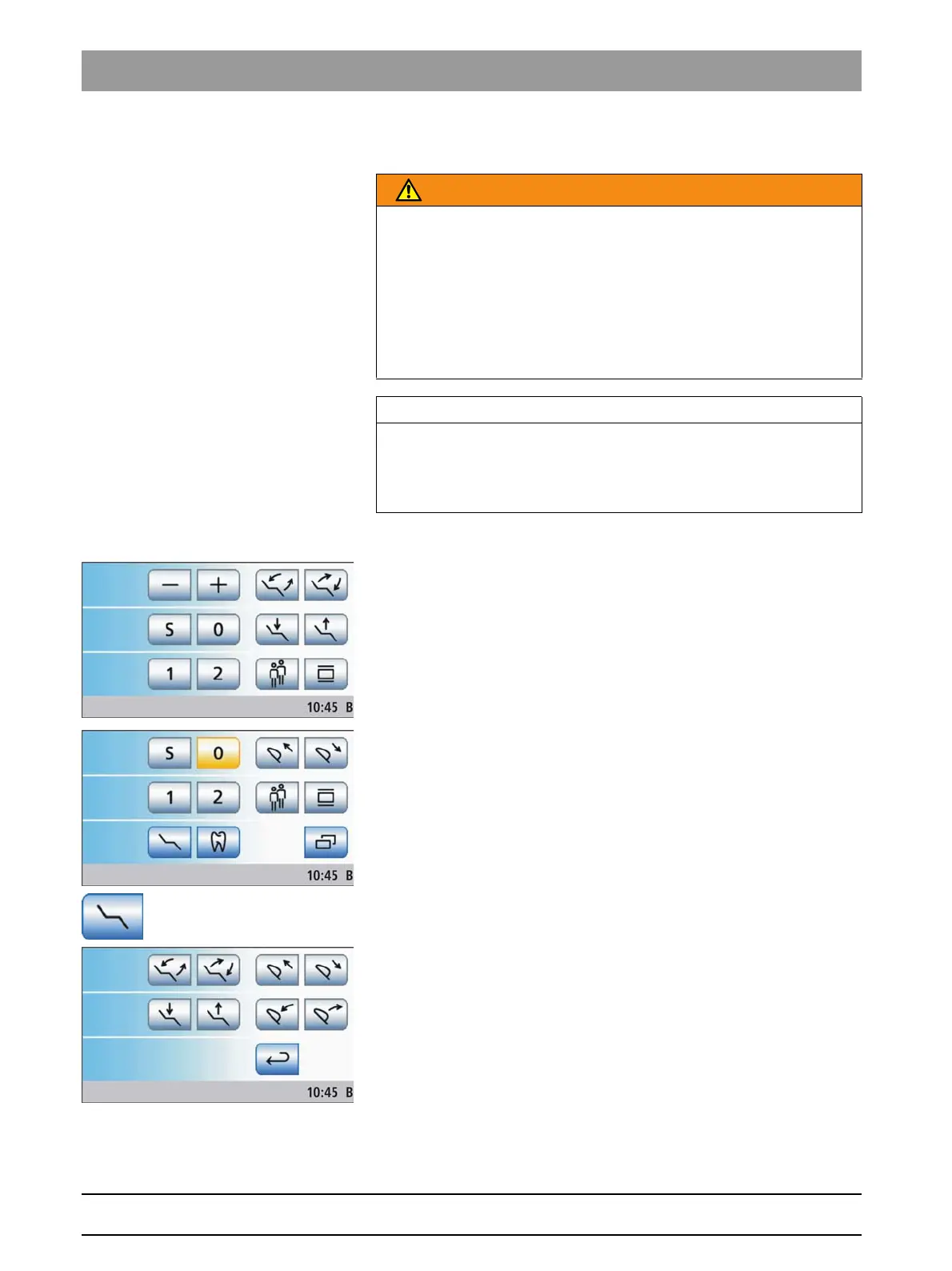
Open manual chair setting screen
Open man ual chair setting s creen
The
Manual Chair Adjustment
program can only be accessed in the
Start
program without instrument functions
operating mode. In the
Start
program with instrument functions
, the manual chair adjustment keys are
displayed permanently, see adjacent illustration.
✔ The
Start program without instrument functions
is displayed on the
touchscreen.
1. Touch the
Manual Chair Adjustment
key.
The
Manual Chair Adjustment
screen is displayed.
2. Perform the settings described in the following sections.
WARNING
The SINIUS CS dentist element could be positioned within the
movement range of the patient chair.
When the patient chair is moved, the patient may collide with the SINIUS
CS dentist element or its support arm. The patient is at risk of being
crushed.
➢ Before moving the patient chair, position the SINIUS CS dentist
element in such a way that a collision with the patient or the patient
chair is impossible.
IMPORTANT
Chair movements with cuspidor swiveled in
With the cuspidor bowl swiveled in, the chair cannot be moved. This
prevents the patient from colliding with the cuspidor. Swing the cuspidor
outward before initiating chair movement.















 To Next Page