63 22 726 D3561
82 D3561.201.01.03.02 05.2012
4 Operation Sirona Dental Systems GmbH
4.5 Dentist element Operating Instructions SINIUS / SINIUS CS
4.5.5 Quick setting keys and function levels
Quick se tting keys and function levels
Control options The treatment center offers you two selectable control options in certain
Instrument programs. However, they can only be accessed in the
Start
program without instrument functions
operating mode. The instruments
can be set either with the quick setting keys or via the function levels. The
selected setting applies to each user profile, A to F, for the instrument
programs “Electric motor” [ → 100] and "SIROSONIC TL scaler" [ → 110].
In the
Start program with instrument functions
, speed and intensity values
can only be adjusted via the - and + keys.
Difference between quick setting keys
and function levels
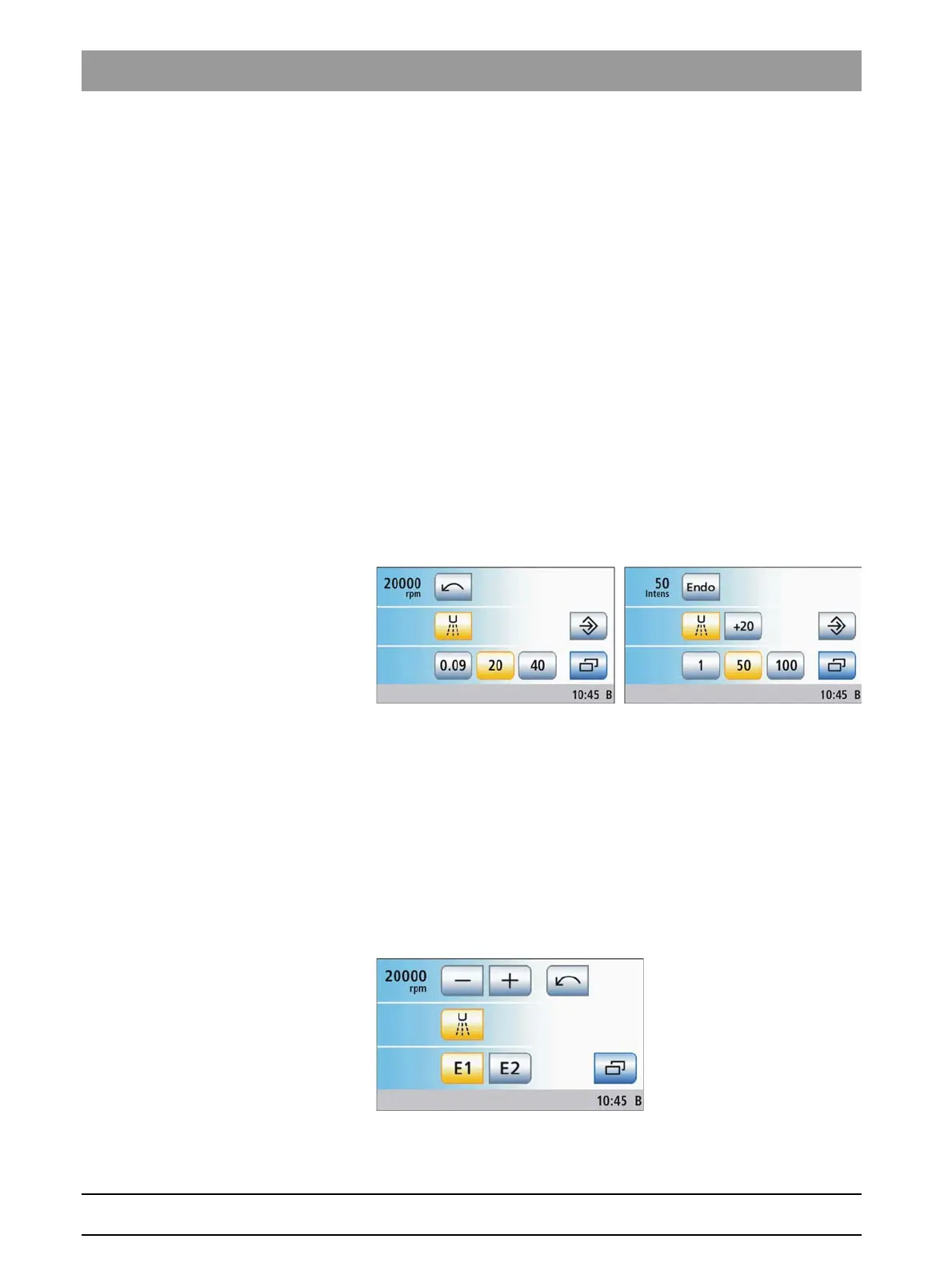
If you use the Quick setting keys, keys with three predefined motor speed
values (0.09 or 2, 20, 40 x1000 rpm) or intensity values (1, 50, 100%) are
displayed.
The values shown on the quick setting keys can be selected by touching
them briefly (< 1 s).
Intermediate values can be set as follows: If you press and hold a quick
setting key (> 1 s) whose value is greater than or equal to the speed or
intensity value displayed in the first line, the value increases. If you press
and hold a quick setting key (> 1 s) whose value is less than the speed or
intensity value displayed in the first line, the value decreases. The quick
setting keys are shaded gray for intermediate values.
Motor screen (speed) and ultrasonic screen (intensity) with quick setting keys
When using function levels, you have two "storage locations" (E1/E2) at
your disposal for saving settings or recalling them at the push of a button.
These settings can nevertheless be changed during treatment.
A distinction is made between coarse and fine adjustment of the rpm and
intensity settings. If the – or + key is touched briefly (< 1 s), the increments
correspond to the quick setting keys (speed: 0.09 or 2, 20, 40; intensity
values: 1, 50, 100). If the – or + key is held (> 1 s), intermediate values
can also be set.
The key is displayed in gray if the values saved in the function level have
been changed ("Function level no longer valid").
Motor screen with function levels















 To Next Page