63 22 726 D3561
122 D3561.201.01.03.02 05.2012
4 Operation Sirona Dental Systems GmbH
4.5 Dentist element Operating Instructions SINIUS / SINIUS CS
4.5.14.7
Endodontic treatment administration
Endodontic treatment administration
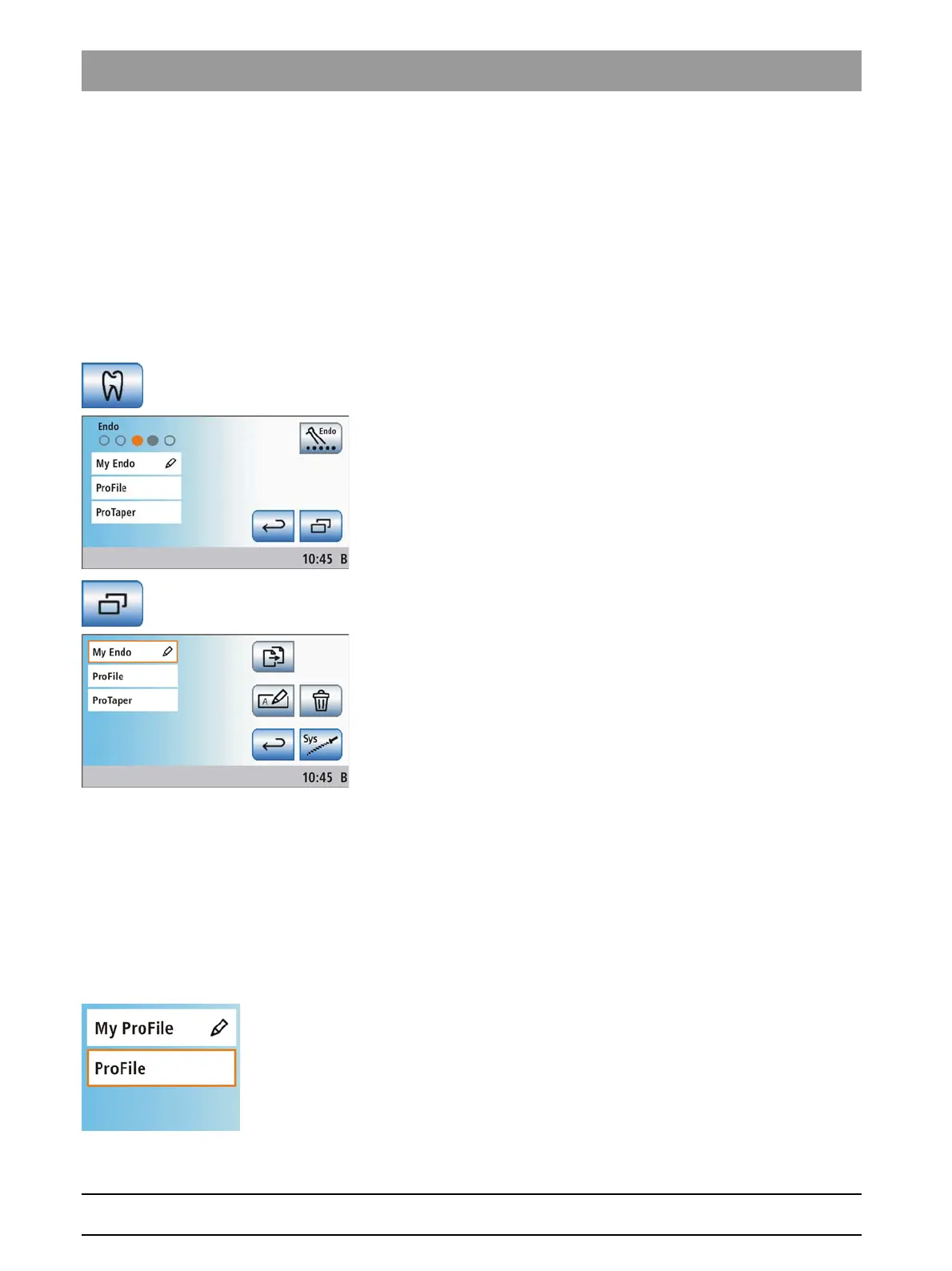
Up to three endodontic treatments can be added to the treatment list of
the
Treatment selection
screen. The following functions are used to
administer the endodontic treatment list:
● Copy, rename and, if necessary, delete endodontic treatments
● Add specified file systems to the endodontic treatment list
Opening the Endodontics management screen
Opening t he Endodontics management sc reen
✔ The
Start program
is displayed on the touchscreen.
1. Touch the
Treatment
key.
The
Treatment selection
screen is displayed.
2. Touch the
Sub-screen
key.
The
Endodontics administration
sub-screen is displayed on the
touchscreen.
Copying an existing endodontic treatment
Copying an existing endodontic treatment
A treatment can be copied and saved in the treatment list under a different
name. Then the settings can be changed.
This procedure allows for making changes to factory-preset endodontic
treatments (without a pencil symbol).
The treatment center enables you to create up to three endodontic
treatments. After the third treatment has been added, the
Copy
endodontic treatment
key disappears.
1. Touch the button of an endodontic treatment that you would like to
copy.
The selected button is highlighted orange.















 To Next Page