63 22 726 D3561
D3561.201.01.03.02 05.2012
123
Sirona Dental Systems GmbH 4 Operation
Operating Instructions SINIUS / SINIUS CS 4.5 Dentist element
båÖäáëÜ
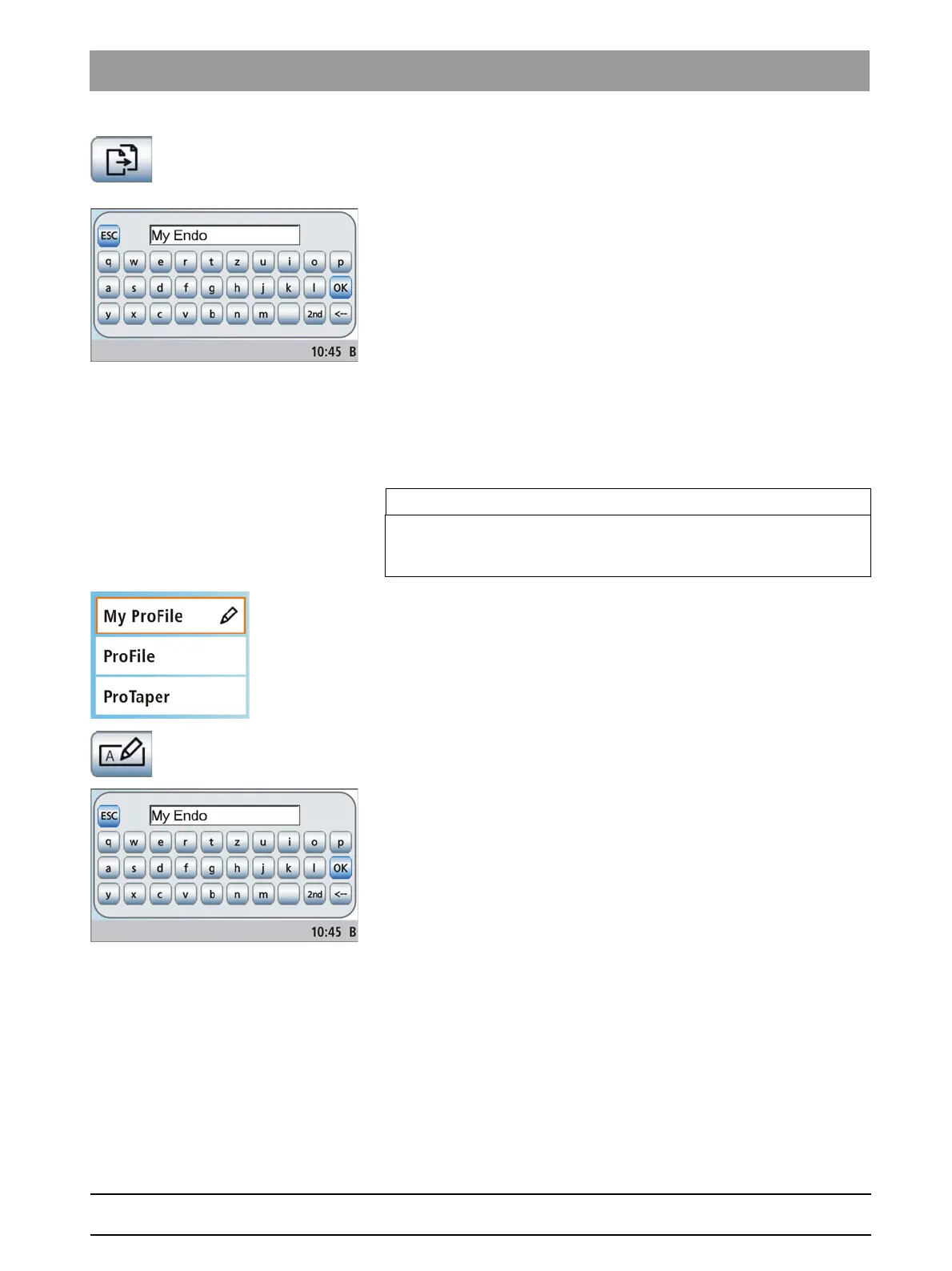
2. Touch the
Copy endodontic treatment
key.
A keyboard is displayed. The name of the endodontic treatment
to be copied is displayed in the text box.
3. Enter the name of the copy. Confirm your entry with the
OK
key.
The keyboard is hidden. The new endodontic treatment is
displayed in the treatment list with the designation you entered.
Rename endodontic treatment
Rename endodontic treatment
Possible only when copying treatments
When copying endodontic treatments, the user must name them
accordingly. They also can be renamed later on to facilitate corrections
and editing.
Rename treatment, endo treatment
1. Touch the button of an endodontic treatment that you would like to
rename.
The selected button is highlighted orange.
2. Touch the
Rename endodontic treatment
key.
A keyboard is displayed.
3. Rename the endodontic treatment. Confirm your entry with the
OK
key.
The keyboard is hidden. The designation of the endodontic
treatment is changed in the treatment list.
Deleting an endodontic treatment from the list
Deleting an end odontic treatment from the list
If user-created endodontic treatments are no longer required or must be
replaced, they can be deleted from the treatment list. Endodontic
treatments that were preset by factory default can only be removed by
deselecting the corresponding file system, see "Adding a file system to
the treatment list“ [ → 124].
IMPORTANT
Factory specified endodontic treatments cannot be renamed. If an
endodontic treatment without a pencil symbol is selected, the
Rename
endodontic treatment
key is hidden.















 To Next Page