63 22 726 D3561
124 D3561.201.01.03.02 05.2012
4 Operation Sirona Dental Systems GmbH
4.5 Dentist element Operating Instructions SINIUS / SINIUS CS
1. Touch the button of an endodontic treatment that you would like to
delete.
The selected button is highlighted orange.
2. Touch the
Delete endodontic treatment
key for more than 2 seconds.
The selected endodontic treatment is deleted. It is no longer
displayed in the treatment list.
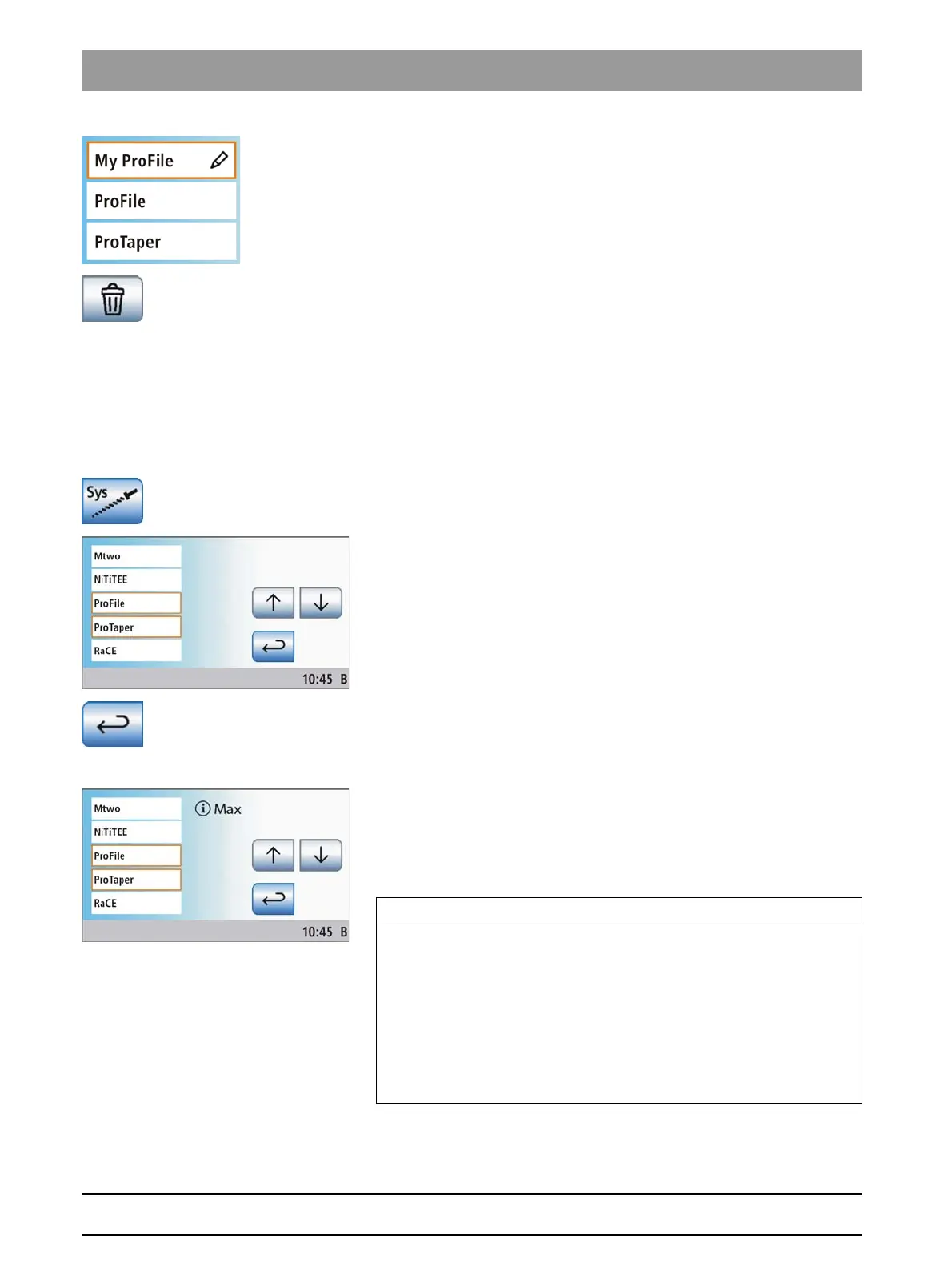
Adding a file system to the treatment list
Adding a file system to the treatm ent list
The treatment center software contains the most popular endodontic file
systems with the speed and torque values recommended by the
manufacturer. The required file systems can be added to the endodontic
treatment list via a pick list.
1. Touch the
Add file system
key.
A list of the most popular file systems is displayed.
2. Select the file system that you would like to add to the endodontic
treatment list. You can scroll in the list with the ↑ and ↓ keys. Touch
the button of the desired file system (multiple file systems can also be
selected).
The selected buttons are highlighted orange.
3. Touch the
Return
key.
The
Treatment administration
screen is displayed. The selected
file systems are displayed in the endodontic treatment list of the
Treatment selection
screen.
Up to three endodontic treatments
The treatment center enables you to add up to three endodontic
treatments to the treatment list. When the third endodontic treatment is
selected, a symbol appears on the touchscreen. This symbol indicates
that the maximum number (total number of predefined and self-created
treatments) has been reached.
Treatment, software update
IMPORTANT
Expanding a file system via a software update
File systems previously added to the treatment list are not automatically
adjusted during a software update. As a consequence, new files are not
immediately displayed in the file list.
➢ Deselect and then immediately re-activate the file system
concerned.
After you select endodontic treatment, the added files are displayed
in the file list.















 To Next Page