63 22 726 D3561
176 D3561.201.01.03.02 05.2012
5 Care, cleaning and maintenance by the practice team Sirona Dental Systems GmbH
5.2 Surfaces Operating Instructions SINIUS / SINIUS CS
5.2.6 Disinfecting the instrument holder of the dentist element
Disinfec ting the instrument holder of the dentist element
SINIUS dentist element
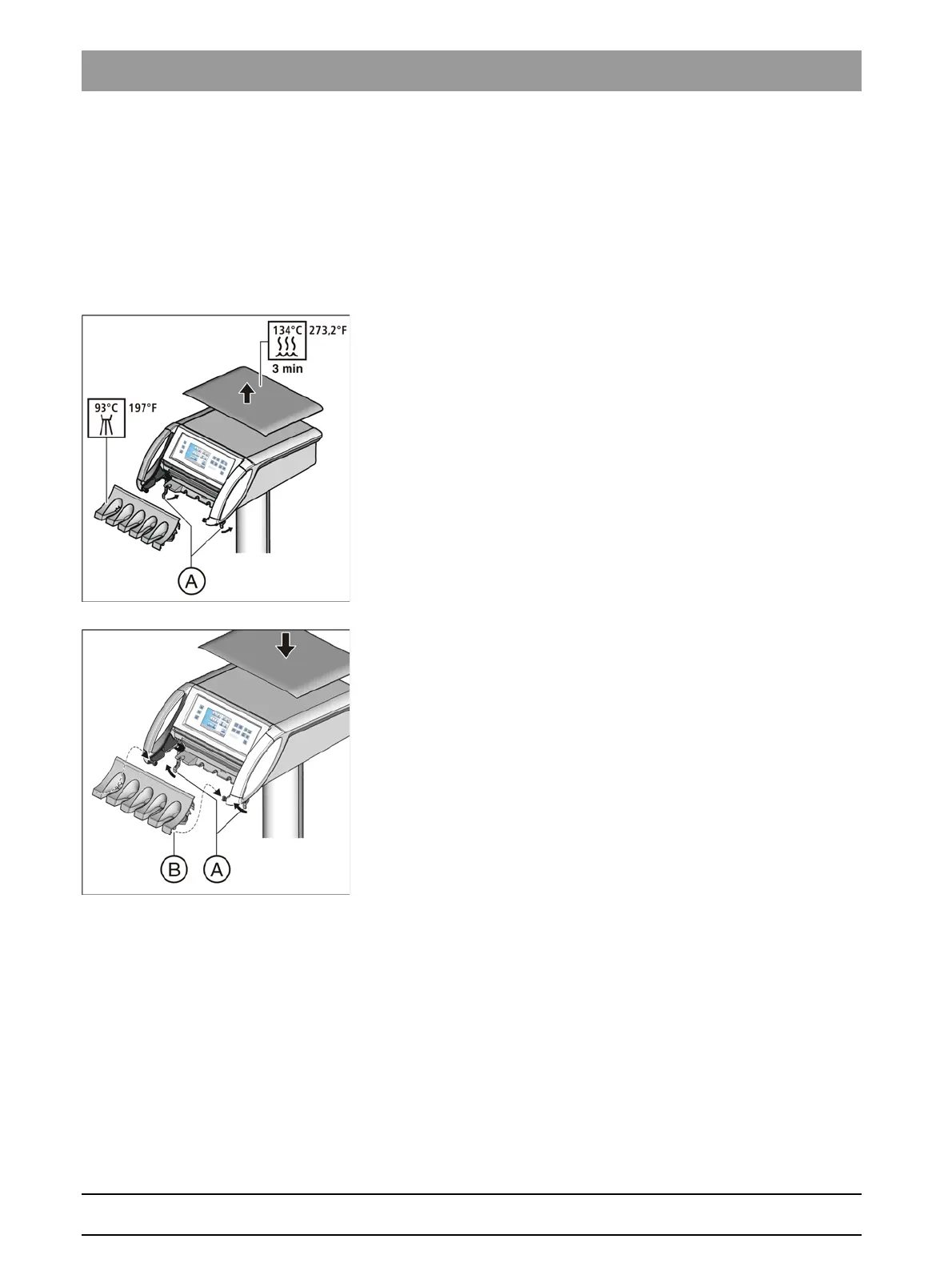
The instrument holder can be removed for easier cleaning or thermal
disinfection.
The removable silicone mat on the dentist element can be sterilized.
Removing the holder
1. Remove all instruments from the holder.
2. Swivel both of the levers (A) below the instrument holder to the rear.
The latch of the instrument holder is released.
3. Grasp underneath the instrument holder and raise it at the rear.
The instrument holder tilts to the front slightly and can be
removed from the dentist element in an upward direction.
Inserting holder
✔ The levers (A) are swiveled to the rear.
1. Fit the front recesses (B) of the instrument holder onto the bolts in the
dentist element.
2. Gently press the instrument holder into the dentist element.
3. Hold the instrument holder firmly and swivel both levers (A) toward
the front.
The instrument holder is locked into the dentist element.
SINIUS CS dentist element
The instrument holder can be removed for easier cleaning or disinfection.
It can be disinfected by spraying or wiping.
The removable silicone mat on the dentist element can be sterilized.
The instrument holder is fixed at the front edge with two internal clamps
on the dentist element.















 To Next Page