63 22 726 D3561
156 D3561.201.01.03.02 05.2012
4 Operation Sirona Dental Systems GmbH
4.12 Operation with a PC Operating Instructions SINIUS / SINIUS CS
Sharpen image
Contrasts between neighboring pixels are increased. This function helps
to accentuate edges or contours. The impression of a sharper image is
created.
Filter black dots
Individual pixel errors may occur when taking digital X-rays. These pixel
errors appear as individual black dots when the optimum resolution
(100%) is selected. They are removed by SIDEXIS.
Reduce noise
Individual scattered pixels and minor disturbing information which lead to
a noisy image are eliminated without reducing the overall definition of the
image.
Undo
The effect of the last filter operation is undone.
Restore original image
The changes previously made, e.g. via filters, are canceled. The most
recently saved version of the image is restored.
Tip: Use the PC application SIUCOM plus to configure the layout of the
keys.
For a description of the
SI Video
SIVISION program, please refer to the
section "Using the camera with SI Video" [ → 150].
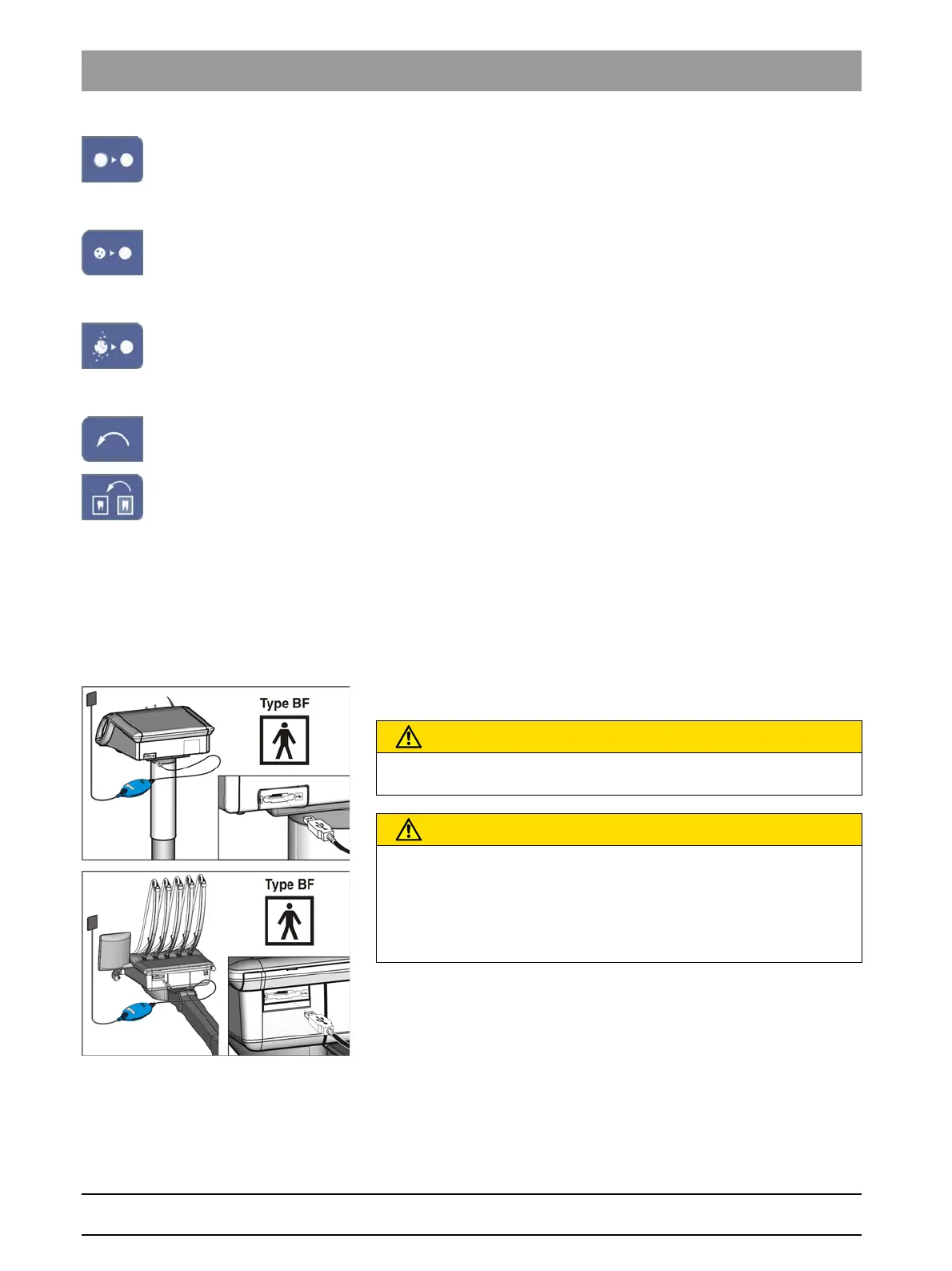
4.12.2 USB port
USB port
A USB 2.0 port is provided on the back of the dentist element.
USB interface, only units of type BF
USB interface, only units without power supply unit
CAUTION
Only type BF medical devices according to IEC 60601-1, e.g. the Sirona
XIOS USB intraoral X-ray system, may be connected to the USB port.
CAUTION
USB devices with their own voltage supply (e.g., via a power supply unit)
may increase the working current.
This endangers the safety of patients and users.
➢ Only connect USB devices that use the USB connection as their
exclusive power source.















 To Next Page