63 22 726 D3561
114 D3561.201.01.03.02 05.2012
4 Operation Sirona Dental Systems GmbH
4.5 Dentist element Operating Instructions SINIUS / SINIUS CS
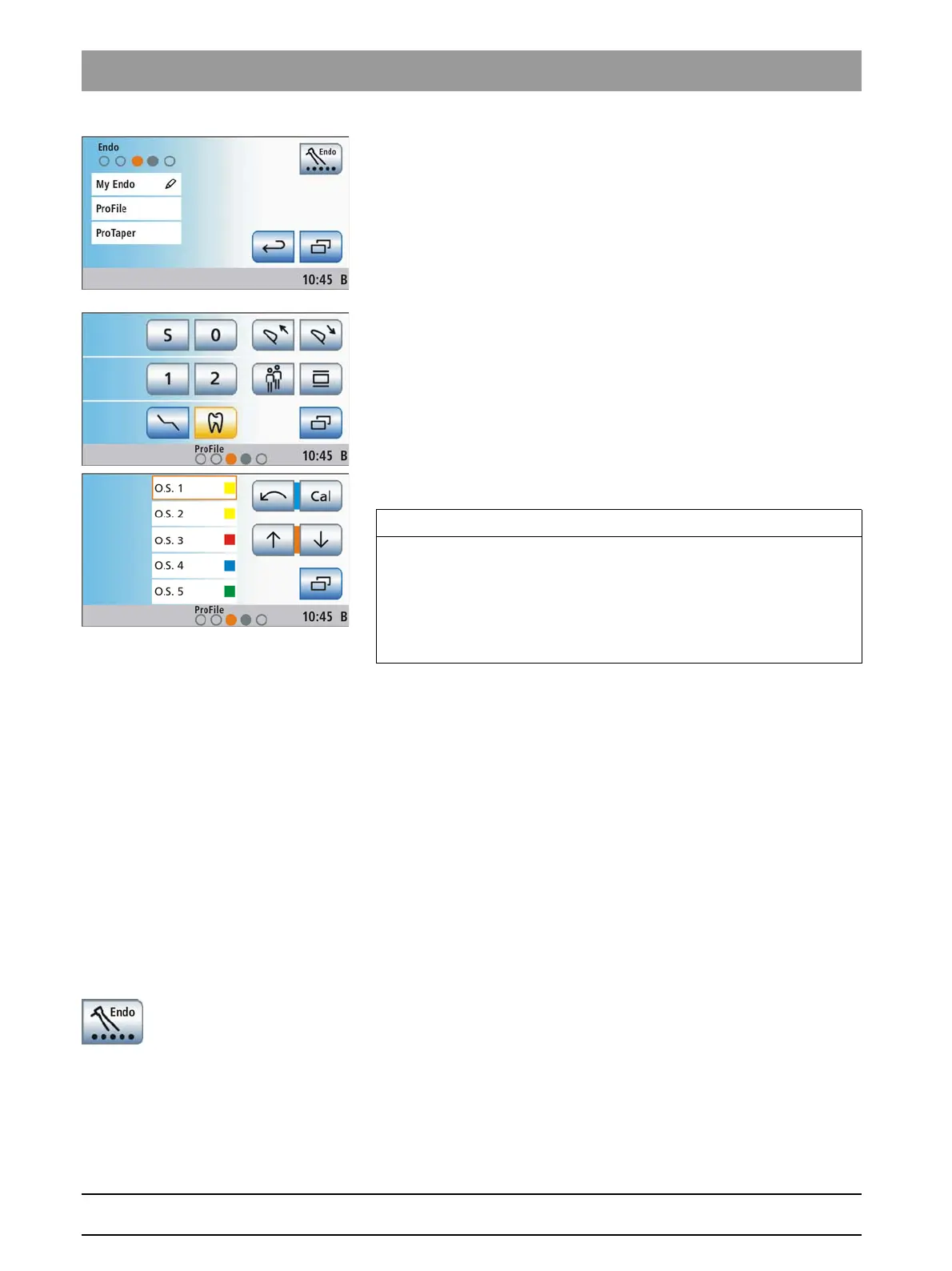
The
Treatment selection
screen is displayed.
2. Touch the required endodontic treatment field.
The
Start program
is displayed or, if an instrument has already
been taken out, the system will switch to the
Instrument program
.
In the footer an orange dot indicates which burr drive is assigned
to the treatment. Please refer to the following section "Assigning
burr drives" for information on the significance of the empty or
filled dots.
3. Take the burr drive which is marked with an orange dot in the footer.
The
Endodontics screen
is displayed on the touchscreen.
Treatment, cursor control
Assigning the burr drive
The Treatment function must be assigned to a particular burr drive.
The
Treatment Selection
screen indicates which burr drive is assigned
and which one could be used alternatively:
● Empty, gray circle
Instrument cannot be used for the selected treatment type
● Solid gray circle
Burr drive can be assigned to the selected treatment type
● Solid orange circle
Burr drive is assigned to the selected treatment type
If you would like to use a different burr drive for the treatment, you can
change this setting:
✔ The
Treatment selection
screen is displayed on the touchscreen.
➢ Before selecting the treatment, touch the
Assign burr drive
key:
The next usable burr drive is marked using the orange circle. The
desired burr drive is assigned to the treatment.
IMPORTANT
Display of the blue and orange cursor
In the Treatment Program, the key assignment of the foot control is
indicated by blue and orange cursor bars even when cursor control is
switched off. The orange cursor can only be moved with the 4-way foot
control plate when cursor control is switched on. For more information
on the cursor control, please refer to "Using the cursor control" [ → 56].















 To Next Page