63 22 726 D3561
50 D3561.201.01.03.02 05.2012
4 Operation Sirona Dental Systems GmbH
4.2 Control concept of touchscreen Operating Instructions SINIUS / SINIUS CS
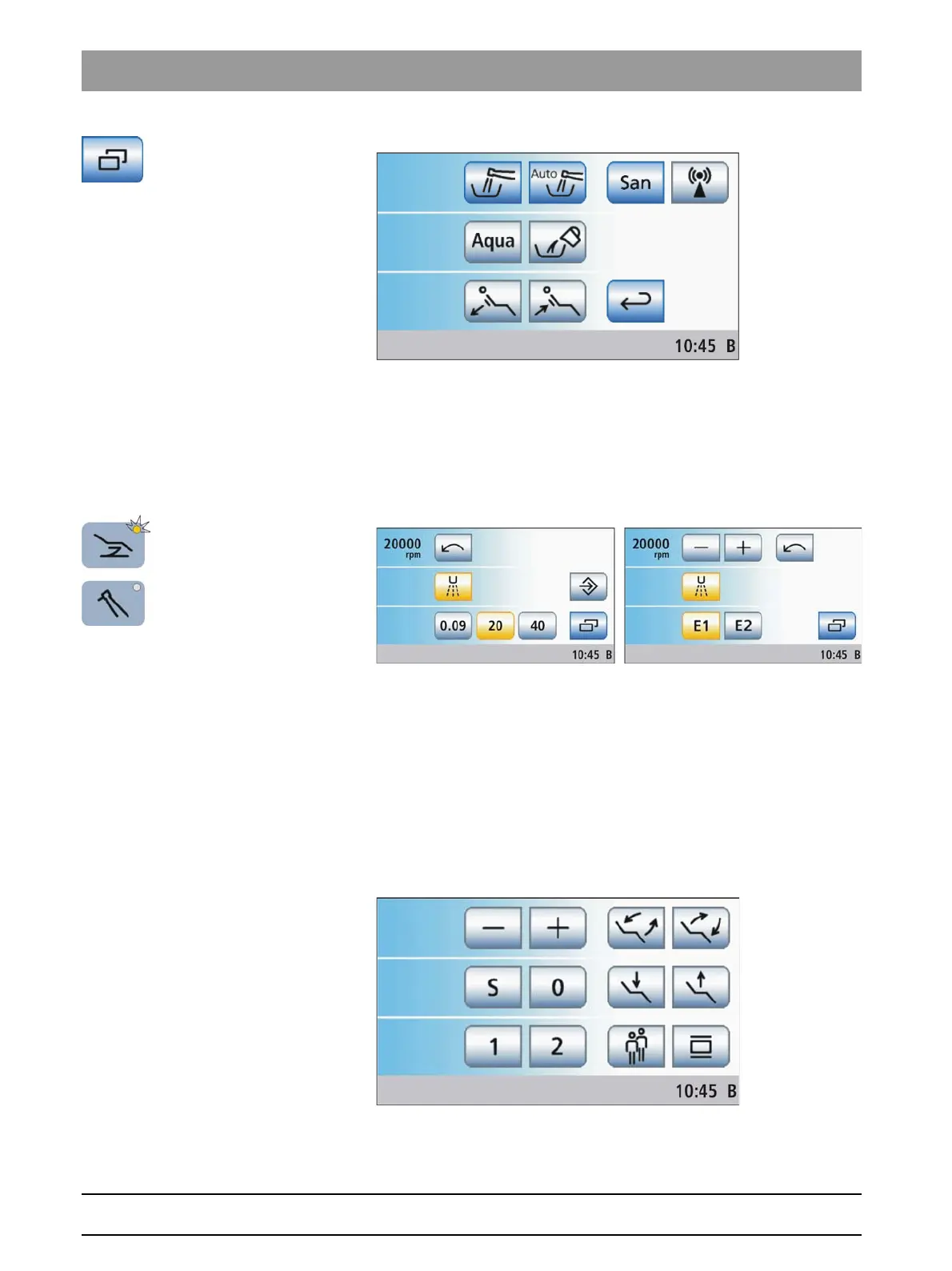
In the
Start program without instrument functions
mode, the touchscreen
will automatically display the instrument program for the removed
instrument instead of the Start program. The program change keys allow
the user to switch between the main programs
Start program
and
Instrument program
. All chair and instrument functions can be managed
via the touchscreen. Speed or intensity values can be adjusted with the
quick setting keys or the function levels.
Start program with instrument functions
The operating mode
Start program with instrument functions
displays the
function keys for patient chair programs and manual chair setting, as well
as the – and + keys for speed or intensity adjustment of the instruments
in the same screen. The main keys for the treatment are therefore always
displayed on the touchscreen. Switching between Start program and
Instruments programs does not apply. This makes the operation of the
SINIUS / SINIUS CS dental treatment center similar to other Sirona
dental treatment centers that are operated without a touchscreen.
When an instrument is removed, the
Start program with instrument
functions
displays the chosen speed and intensity settings on the
touchscreen. Where applicable, the relevant information is displayed















 To Next Page