63 22 726 D3561
D3561.201.01.03.02 05.2012
55
Sirona Dental Systems GmbH 4 Operation
Operating Instructions SINIUS / SINIUS CS 4.3 Foot control
båÖäáëÜ
Foot control
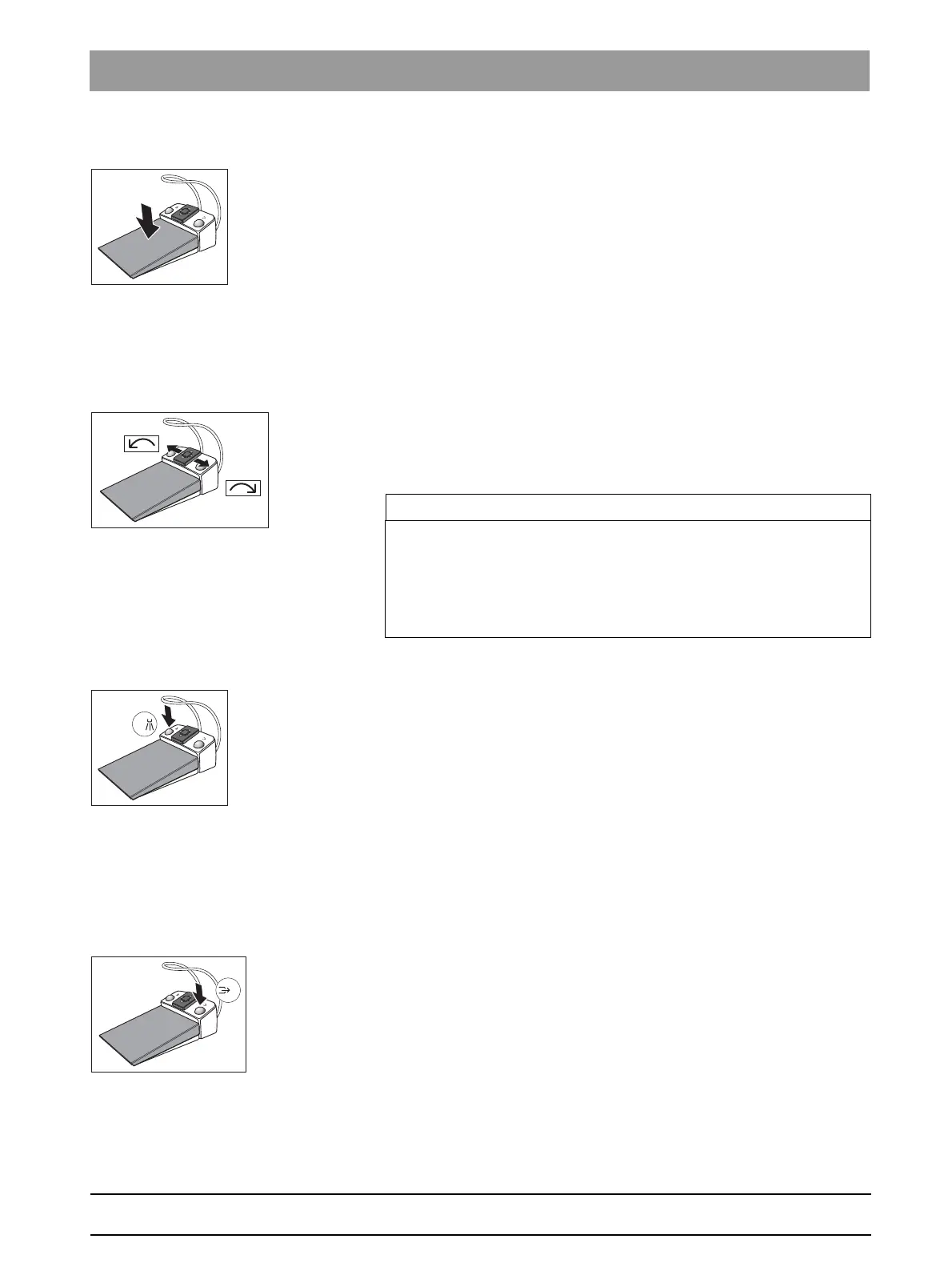
✔ An instrument is removed.
➢ Step on the foot control.
The instrument is activated. The intensity is regulated according
to the pedal movement if necessary (if the speed foot control is
set, see "General instrument functions" [ → 87]). If the intraoral
camera is removed, the display switches to the still or live image.
4-way foot control plate
If the cursor control is switched on, it is operated via the 4-way foot control
plate, see "Using the cursor control" [ → 56].
If the cursor control is switched off, then:
✔ An electric motor is removed.
➢ Slide the 4-way foot control plate to the right or left.
The CW/CCW rotation of the electric motor is activated.
Foot control, functions during active treatment
Left button
✔ All instruments are in place.
➢ Press the left button.
The chair moves to mouth rinsing position S.
✔ An instrument (motor, highspeed handpiece, SIROSONIC TL) is
removed.
➢ Press the left button.
The cooling system (spray, air, or NaCl) is switched on/off. If the
intraoral camera is removed, the video still image is saved in
SIDEXIS; the live image is displayed in the next quadrant in SI
video.
Right button
✔ All instruments are in place.
➢ Press the right button.
The chair moves to entry/exit position 0.
✔ An instrument (motor, high-speed handpiece) is removed.
➢ Press the right button.
The chip blower remains switched on as long as the button is
pressed. The boost function can be chosen during ultrasound. If
the intraoral camera is removed, it is possible to toggle between
single image and quad image in SI Video.
IMPORTANT
Allocation of functions during active treatment
The allocation of functions may differ when the Treatment function is
active.
➢ Note the position of the orange and blue cursor, see "Using the
cursor control" [ → 56].















 To Next Page