7 — Routine Maintenance
136
920515770_J
Vision® 1300 Series
Operator Manual
Impact Printer Ink Cartridge
The printer ink cartridge should be changed as soon as type on printouts is light or faded, and before printouts become
difficult to read.
1. Tear paper between take-up spool and printer.
2. Open inner printer door, then press on right end of ink cartridge, until left end of cartridge pops out of printer.
3. Slip cartridge off end of paper, slip new cartridge over paper in same way as before, ensuring paper slides
between ink cartridge and ink ribbon.
4. Install left end of cartridge first, then push right end in, snapping cartridge into place.
5. Retighten ribbon by rotating wheel on left side of cartridge 1/4 turn. Then, see Impact Printer Paper Roll to
reinstall take-up spool.
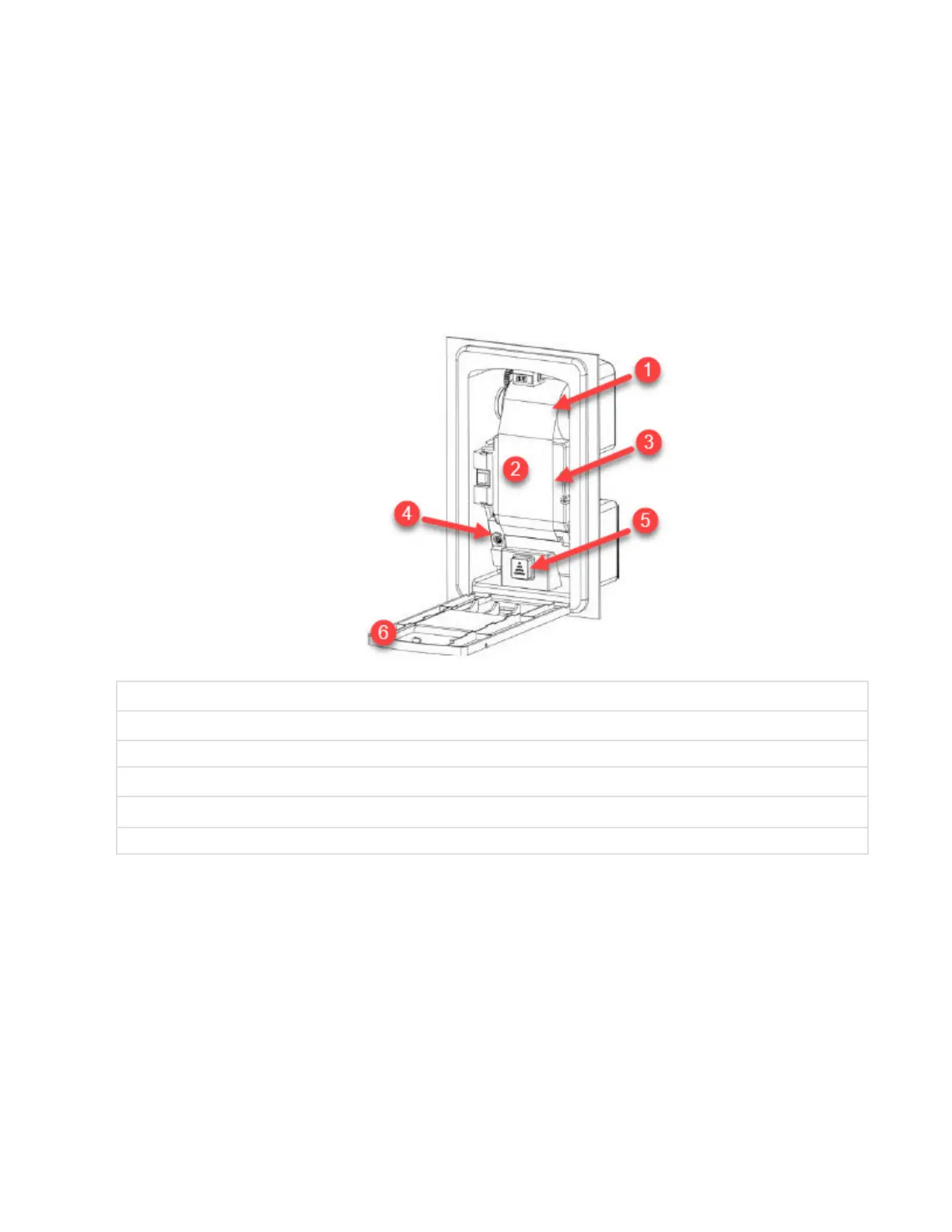
1 Take-Up Spool
2 Paper
3 Inner Printer Door
4 Ink Cartridge
5 Paper Feed Button (Includes LED if Feature is Present)
6 Printer Door
.












 To Next Page