91
Performing Exams Initial Exam Screen
Initial Exam
Screen
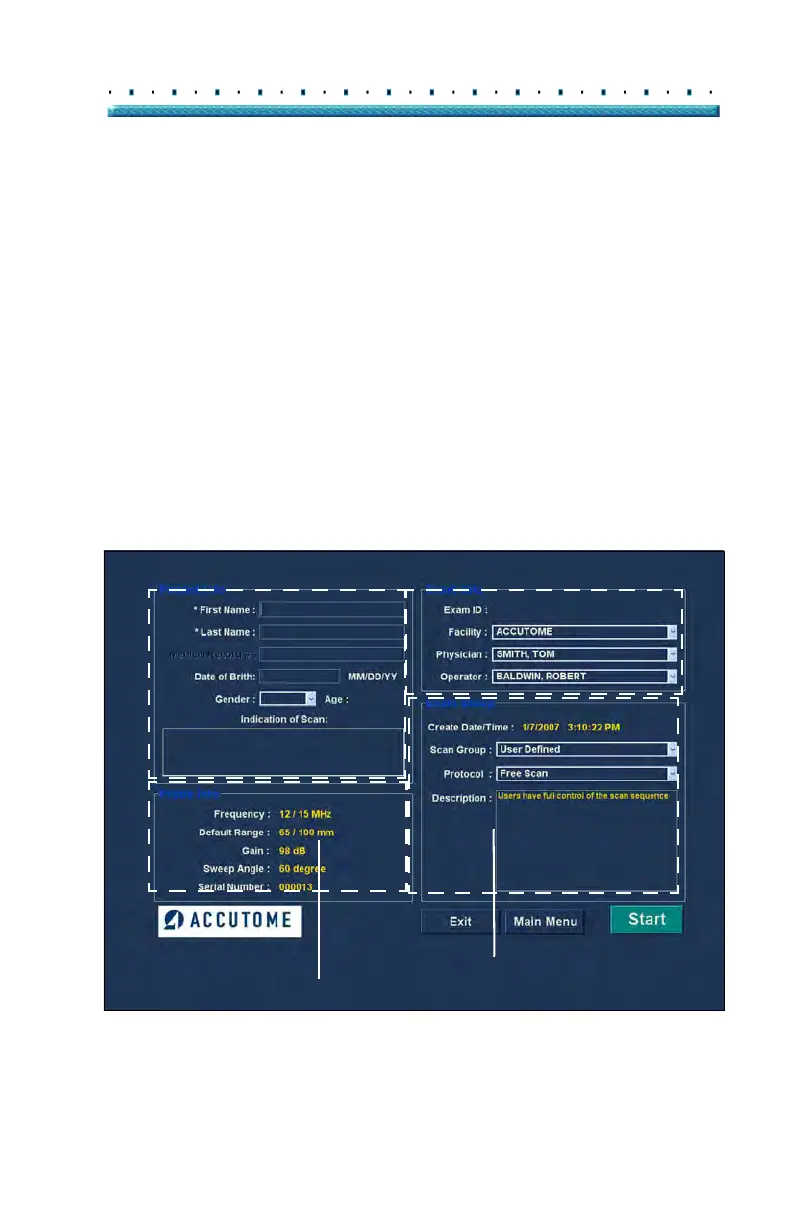
Upon starting a new exam (by selecting "New Exam"
from the main Accutome B-Scan Plus Screen) the
Accutome B-Scan Plus launches the Initial Exam Screen
shown in Figure 73 below. On this screen you start a
new patient exam by entering Patient data and making
appropriate selections for the new patient. The screen is
divided into the following areas:
Patient Info - requires you to enter current
patient data
Probe Info - displays the current probe
operational specifications
Exam Info - displays the Exam ID generated
by the Accutome B-Scan Plus and provides
selections for facility, physician and operator
Exam Setup - displays exam creation date and
time, and provides selections for the exam to
be performed.
Figure 73 Initial Exam Screen
Patient Info
Exam Info
Probe Info
Exam Setup



 To Next Page