209
Archive and Restore Restore Screen
Verify
The "Verify" feature allows you to confirm that the
selected exams have been backed up into the selected
destination folder. When you select this feature you will
receive the following message "Exams in the backup are
the SAME as the original." if the backup properly
executed.
Restore
Screen
Not only can you archive patient exams with the
Accutome B-Scan Plus but you can also restore them to
your computer for analysis and reporting. The Restore
screen is represented by a tab on the main Archive
screen. To access the Restore screen, click on the
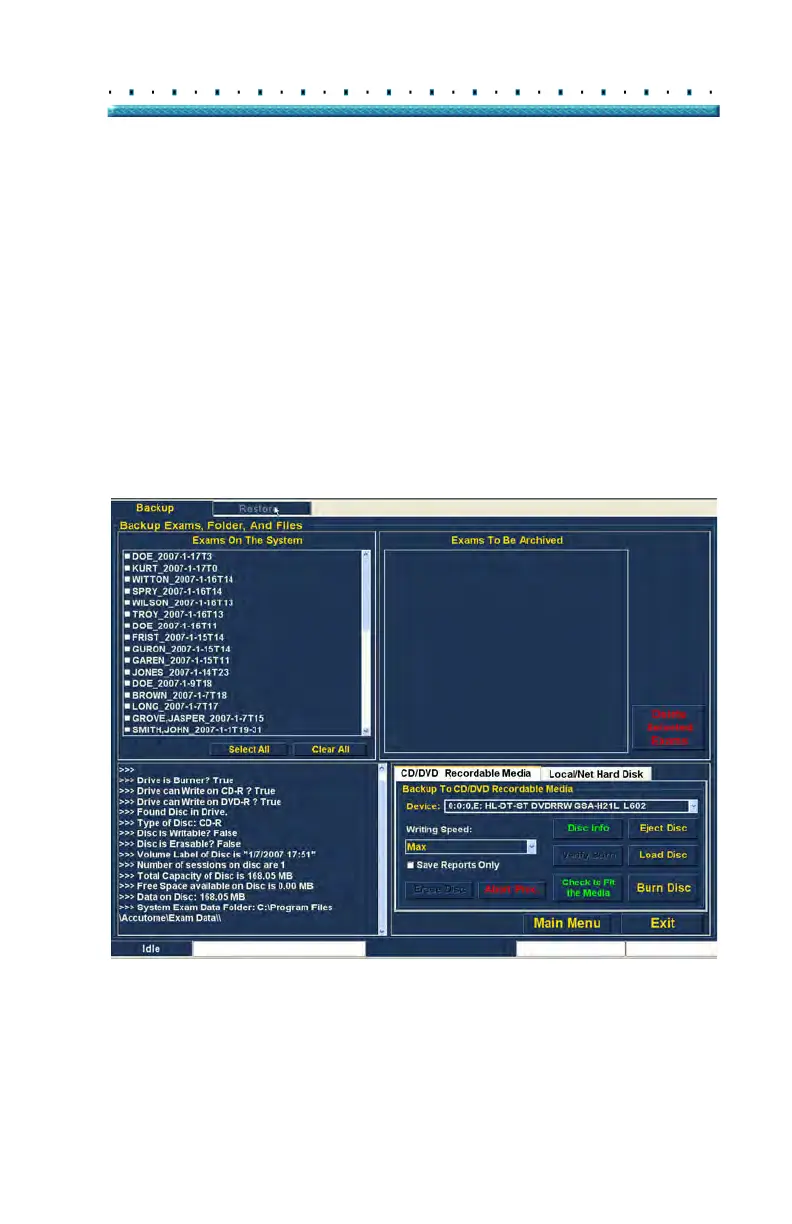
"Restore" tab as shown in Figure 167 below.
Figure 167 Selecting the Restore Screen
Exams On The System
Exams To Be Archived
Process Information
Tool Palettes



 To Next Page