72
Accutome B-Scan Plus User Guide
Start/Stop
The Start/Stop selection allows you to choose the
method to start/stop the probe. The choices are:
Probe Button
Foot Pedal
Both
To choose a start/stop option si
mply click the radio
button beside the appropriate selection. The default
setting is "Both".
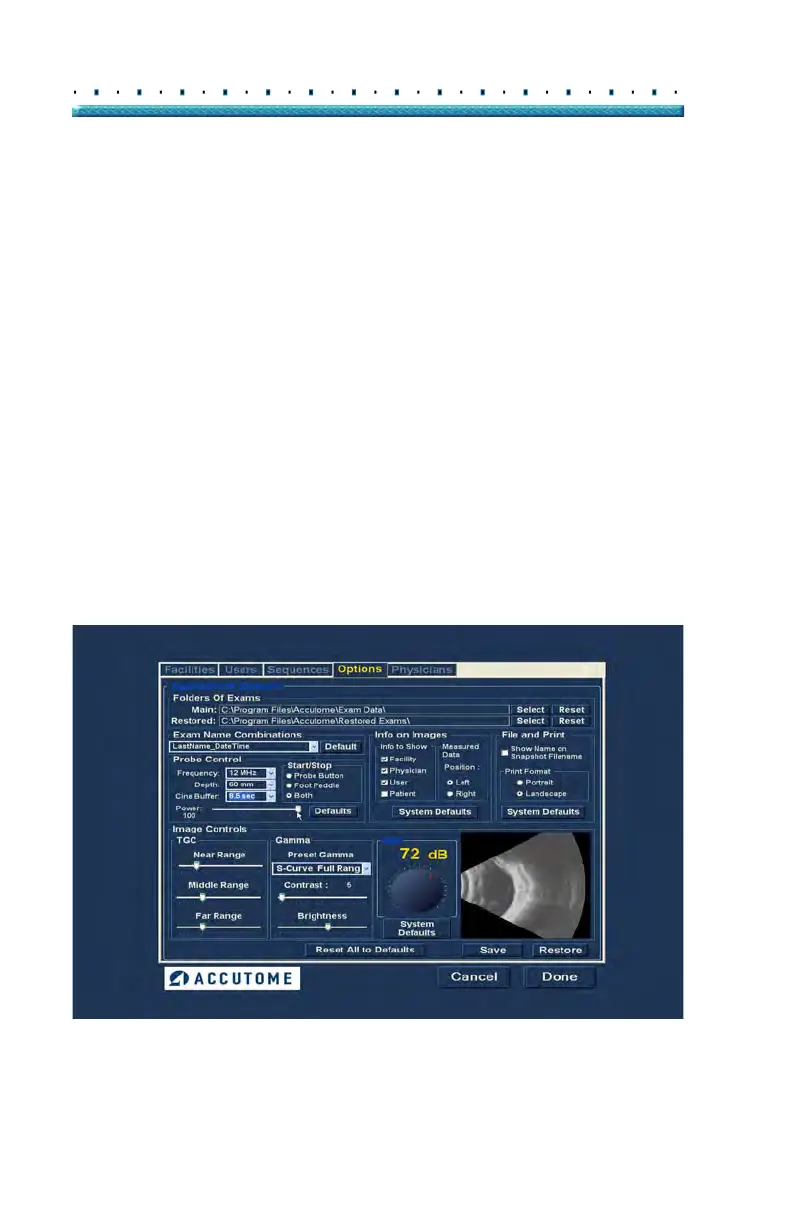
Power
The Power selection allows you to adjust the power level
of the signal through the B-Scan probe. The power level
is indicated by a number (a percentage from 0 to 100)
located beneath the label "Power" and by the location of
the adjustment arrow on the scale. To adjust the power
select the arrow indicator and slide as shown in Figure
54 below until you reach the appropriate value.
Figure 54 Adjusting the Power Level



 To Next Page