167
Patient Image Analysis A-Vector
A-Vector The A-Vector function displays an equivalent A-Scan of
the captured B-Scan Plus image. Looking at the
A-Vector you can get a graphical pi
cture of the echoes
received back through the eye from the ultrasonic probe.
The echoes are represented as spikes arising from the
base
line and indicate the sound beam travelling through
the different intraocular tissues. The A-Vector function
can be useful is diagnosing pathologies with the eye.
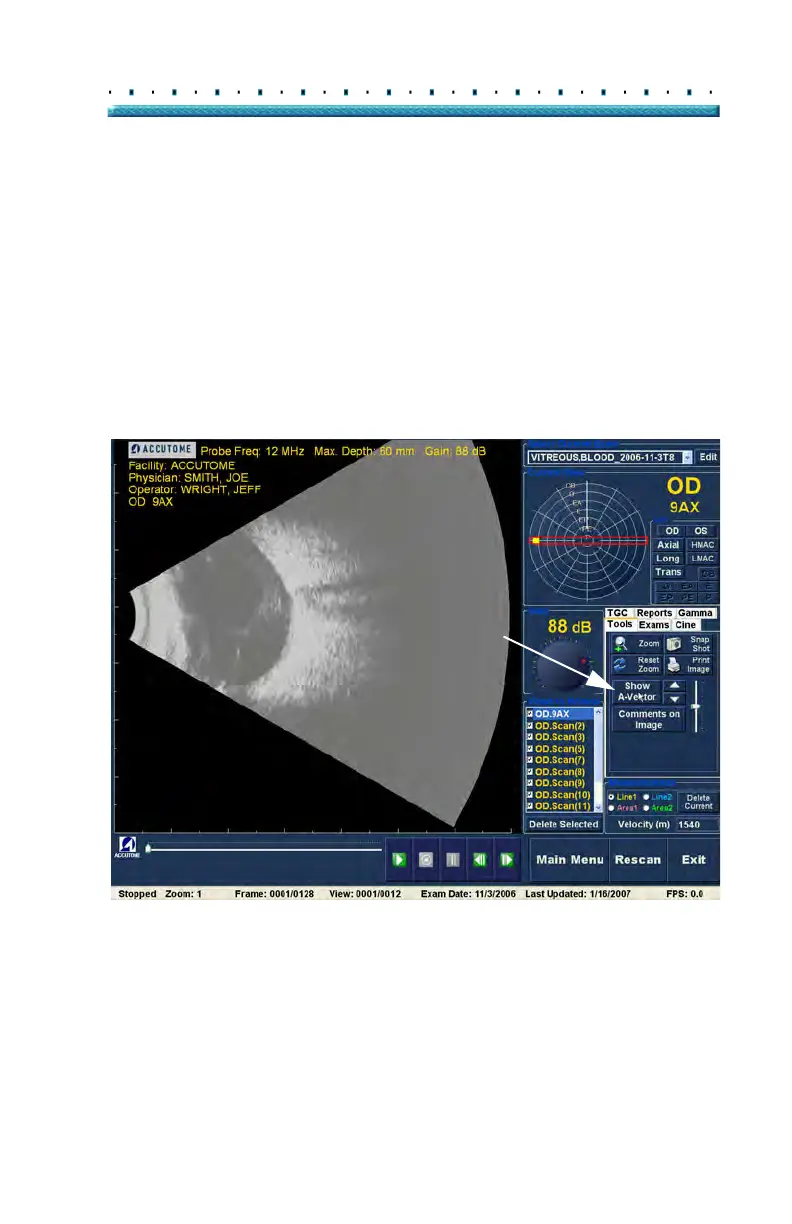
To activate the A-Vector:
1. Sele
ct "Show A-Vector" as shown in Figure 131
below.
Figure 131 Selecting "Show A-Vector"



 To Next Page