25
Getting Started Basic Operation
Entering Patient Exam Information
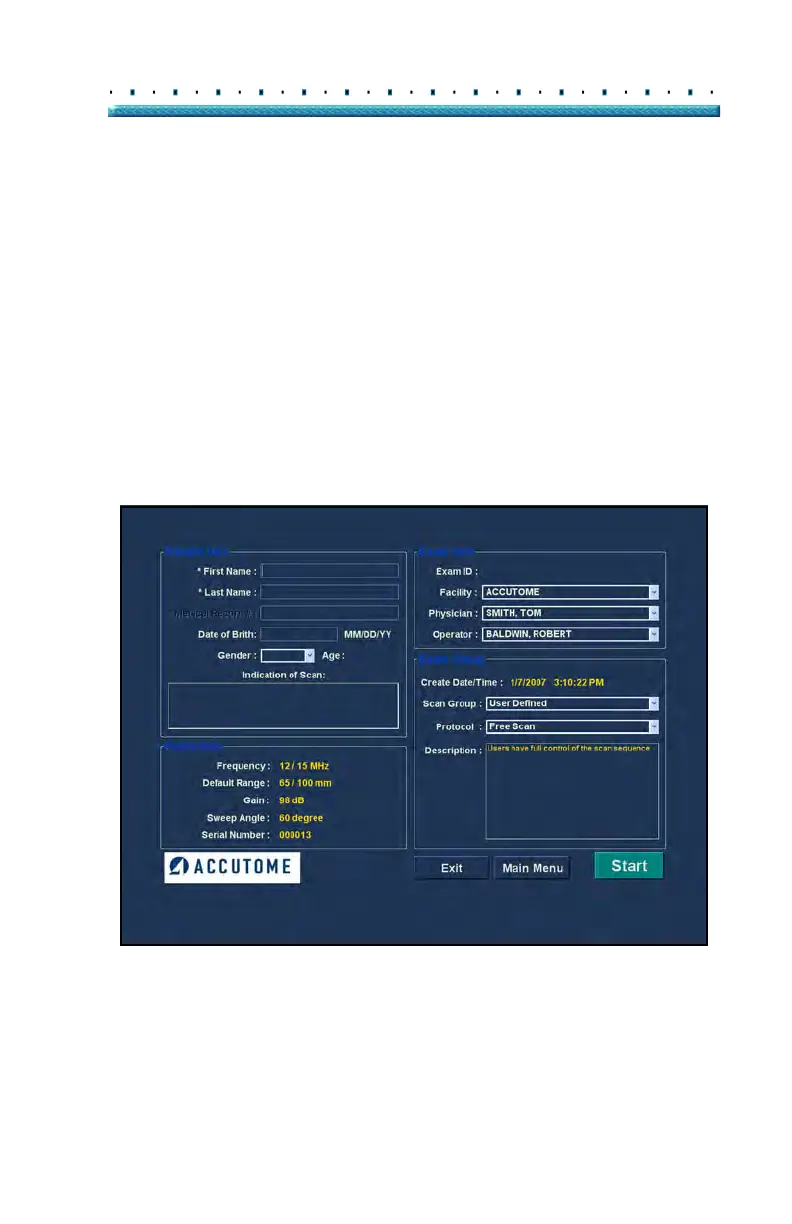
After you execute "New Exam" from the Accutome B-Scan Plus
main screen the Patient Exam Screen will launch shown in
Figure 6 below. The pre-filled information fields the setup
defaults.
1. W
hen you start a new exam the Accutome B-Scan
will launch the Exam Info Screen shown below and
will clear all fields.
*Note: The Patient/Exam Info Screen contains drop down
lists that are created during B-Scan setup. Refer to
Section 4, Setup for further information.
Figure 6 New Exam Info Screen



 To Next Page