29
Getting Started Basic Operation
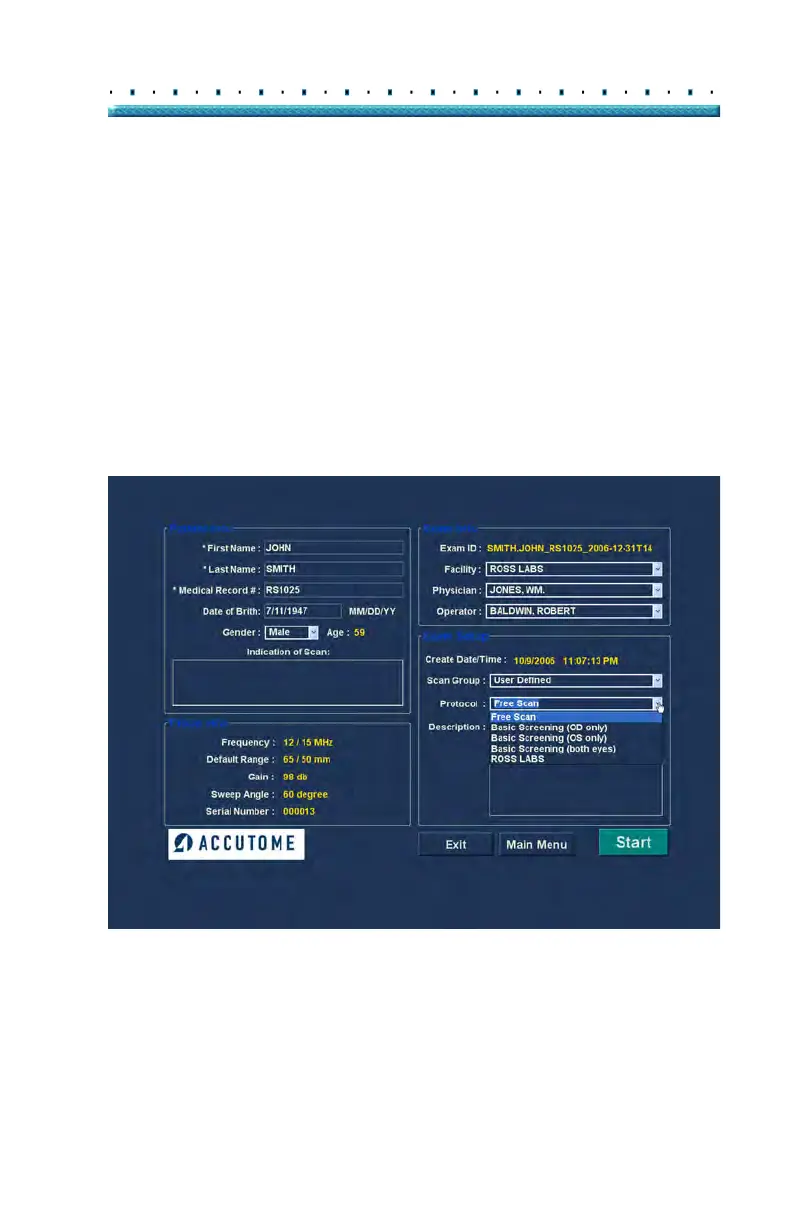
8. Select a predefined or undefined Scan Group and
Protocol (Sequence) within the group. from the
Scan Group and Protocol drop down lists.
Position the cursor on the small arrow at the right
of the Scan Group and Protocol fields. Left click to
open the drop down lists. Position the mouse over
the up/down arrows at the right of the drop down
lists. Click the mouse to move through stored
Scan Group and Protocols. Once you see the
Scan Group and Protocol you want to select
position the mouse cursor over the Scan Group
and Protocol and left click. The selected Scan
Group and Protocol will fill in the Scan Group and
Protocol field.
Figure 10 Selecting Scan Group and Protocol



 To Next Page