125
Performing Exams How to Scan
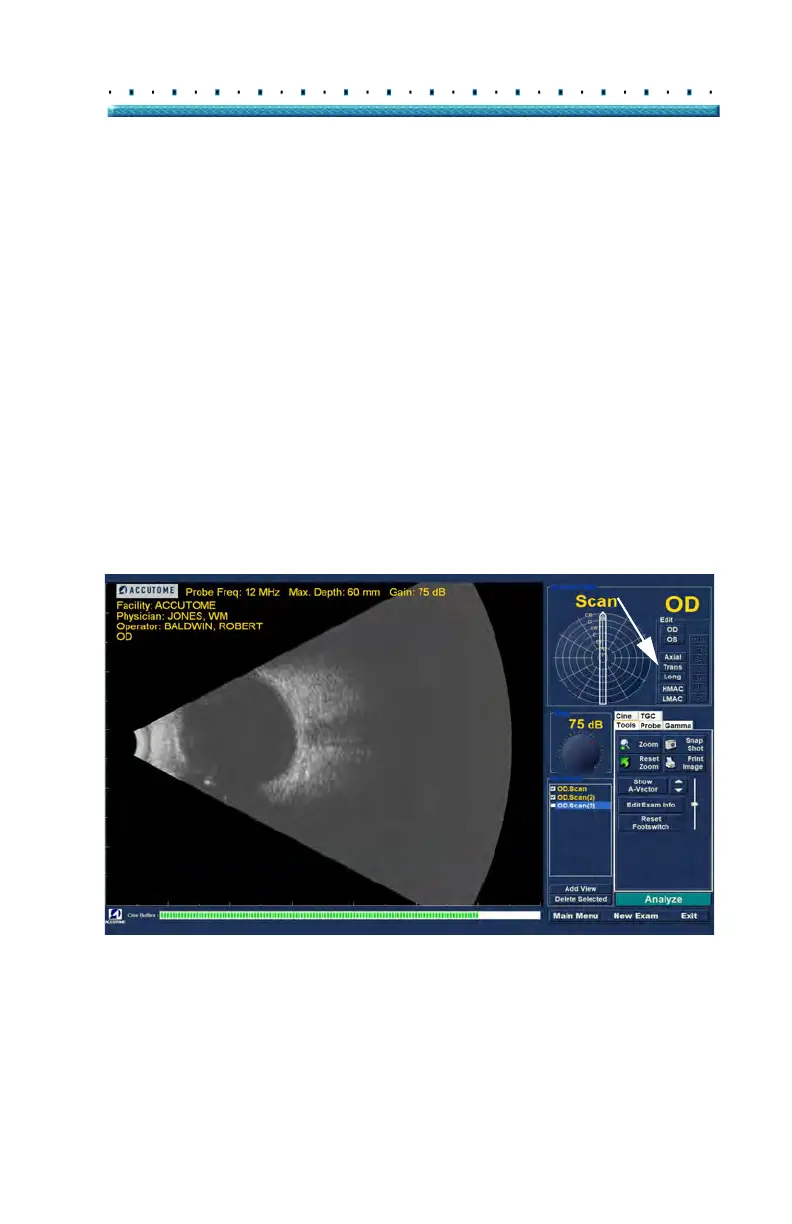
Changing the Scan View
After you have added a new scan to the list of All Views
you may want to change the label of the view if the new
scan has an intended purpose. For example, if the new
scan is intended to capture a transverse view of the eye
you want to label the view transverse.
To change a scan view:
1. Acti
vate the scan by clicking on the scan view
name or clicking the checkbox beside scan view
name.
2. Move to
the "Edit Current View" area of the Exam
Screen and select the correct probe position as
shown in Figure 96 below
Figure 96 Changing a View - Probe Position



 To Next Page