79
Setup Options
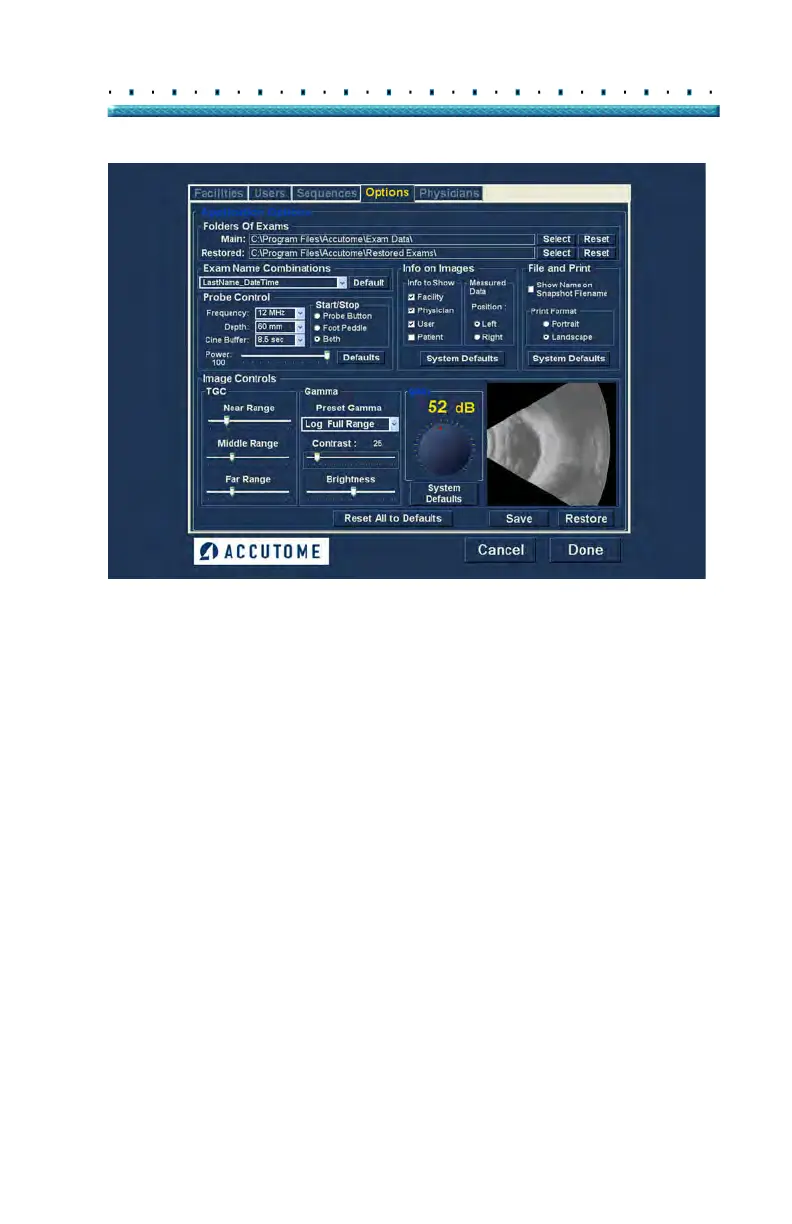
Figure 59 Image Settings after Adjustments
Gain
The gain feature of the Accutome B-Scan Plus allows
you to adjust the strength of the signal as it travels
through the eye, thereby making the captured image
brighter.
Adjusting the Gain
The Accutome B-Scan Plus provides an user-adjustable
gain feature. To the left of the Small Image Window
there is a knob with a red drag point. Adjustment to the
gain is as simple as dragging the knob. As you adjust
the gain you can see the difference in the Small Image
Window.
To adjust the Image Control Gain:
1. Sele
ct the red drag point the gain adjustment knob
as shown in Figure 60 below.



 To Next Page