186
Accutome B-Scan Plus User Guide
Inserting Selected Snapshots
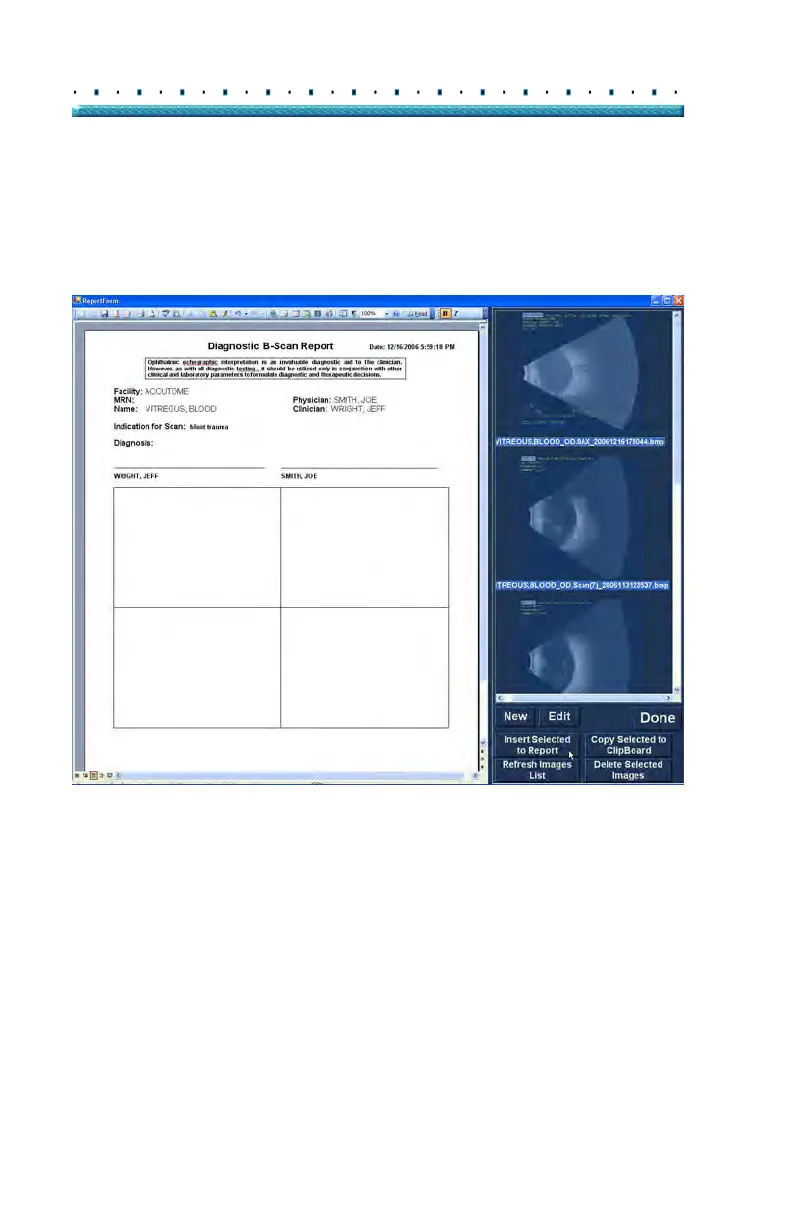
After you have selected all the snapshots you would like
to include in the report click on "Insert Selected to
Report" as shown in Figure 145 below. The report is
now ready to print or save.
Figure 145 Inserting Selected Snapshots
Alternate Method for Selecting & Inserting Snapshots
1. Left click on the snapshot you want to insert into
the report, and click on "Copy Selected to Clip-
board".
2. Cli
ck on the frame in the report where you want the
selected snapshot, and select paste, as shown in
Figure 146 on page 183, to put the selected snap-
shot into the selected frame.



 To Next Page