71
Setup Options
Cine Buffer
The Cine Buffer is the length of time data is stored for
each acquired image. For example, with a setting of 8.5
seconds, the last 8.5 seconds of the scanning time are
saved as the scanned image.
The cine buffer options are:
4.5 sec
8.5 sec
17 sec
34 sec
The default cine buffer is 8.5 sec.
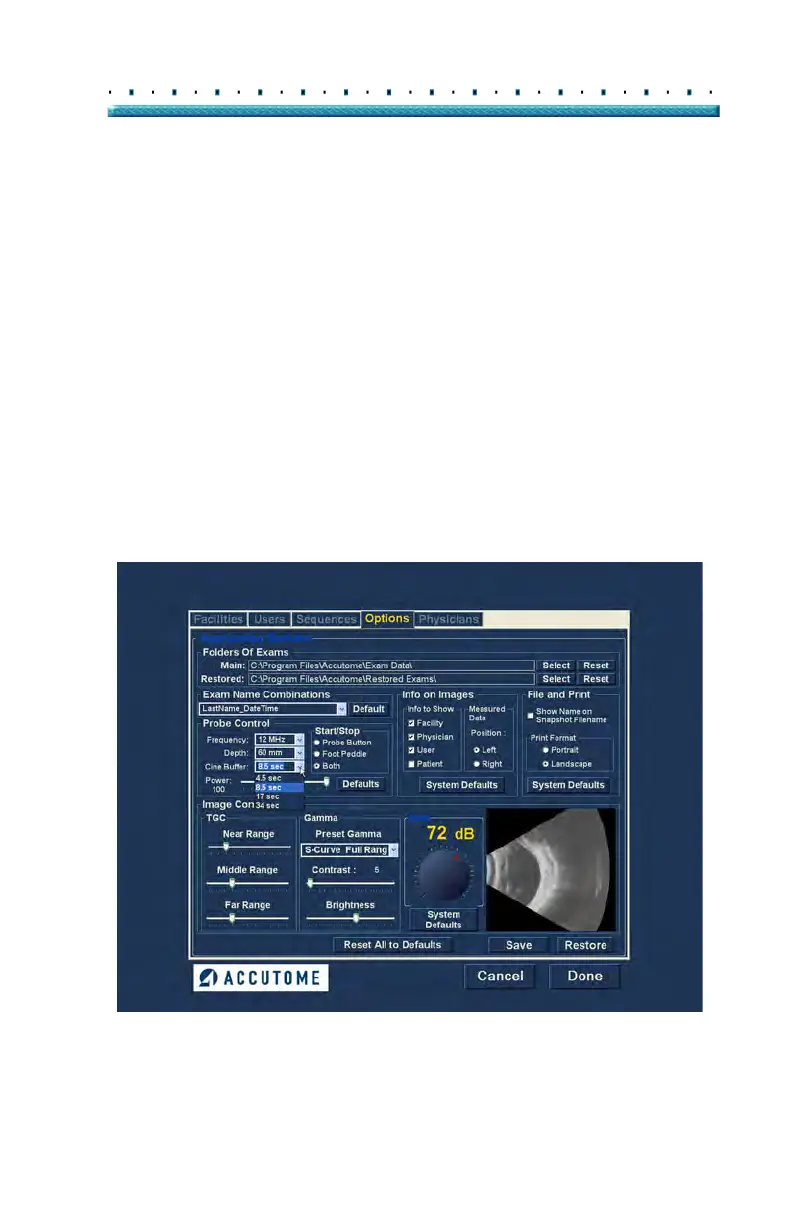
To change the cine buffer select the appropriate value
from the drop down list located at the right of the Cine
Buffer field as shown in Figure 53 below.
Figure 53 Selecting Probe Cine Buffer



 To Next Page