100
Accutome B-Scan Plus User Guide
Exam Setup
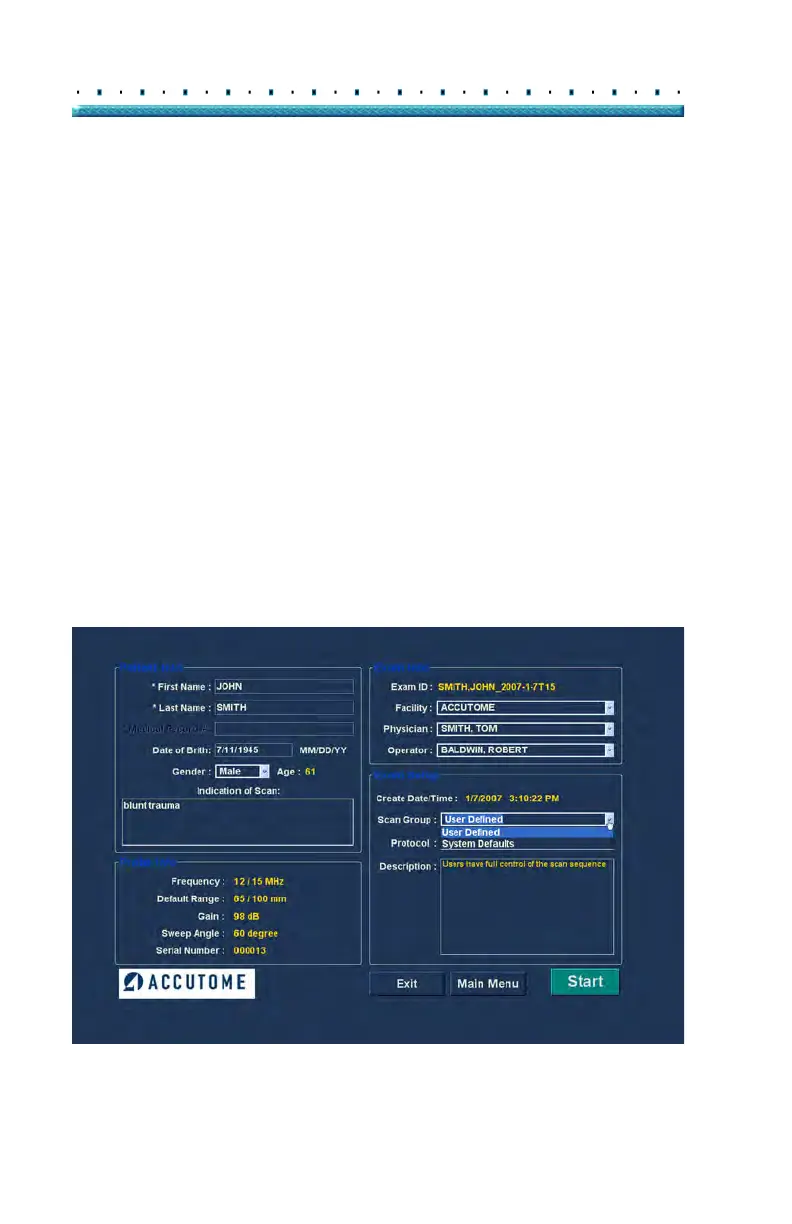
The Exam Setup area displays information relating to the
date and time the current exam was created and
provides selections for exam scan groups, protocols and
a field for describing the selected protocol.
Create Date/Time
The Create Date/Time field displays the time stamp
created by the Accutome B-Scan Plus for the time that
the current patient exam was started.
Scan Group
The B-Scan Plus provides the ability to set up Imaging
Sequence protocols and select the protocols for exams.
The setup protocols become User Defined. When you
are selecting a Scan Group you have the option to either
select User Defined or System Defaults. If you would
like to run a customized protocol you must select "User
Defined".
Figure 79 Selecting Scan Group



 To Next Page