185
Printing Images and Reports Creating Reports
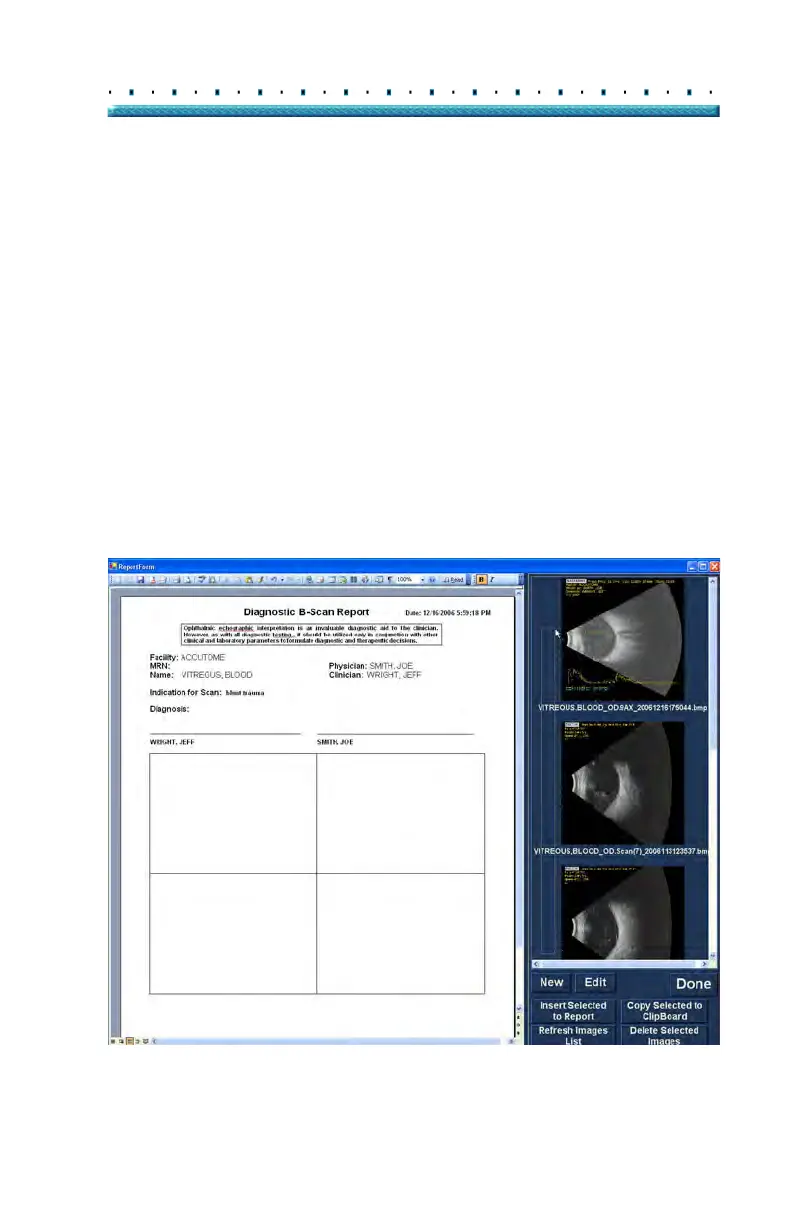
Selecting Snapshots
The snapshots are displayed at the right side of the
report form. Select the snapshots to be inserted into the
report as described below.
1. Lef
t click and hold on the mouse in the blue area
near the first snapshot, then drag until you select
all snapshots you would like to place in the report
as shown in Figure 144 below.
2. Y
ou can also select individual snapshots by hold-
ing the "Ctrl" key and select each snapshot one at
a ti
me.
3. A maximum of four (4) snapshots can be selected
at any one time. If you need to insert more than
four snapshots, select the first four and insert
them, then select up to four more and insert them.
Continue selecting and inserting until all snapshots
are inserted.
Figure 144 Selecting Snapshots



 To Next Page