75
Setup Options
Image Controls
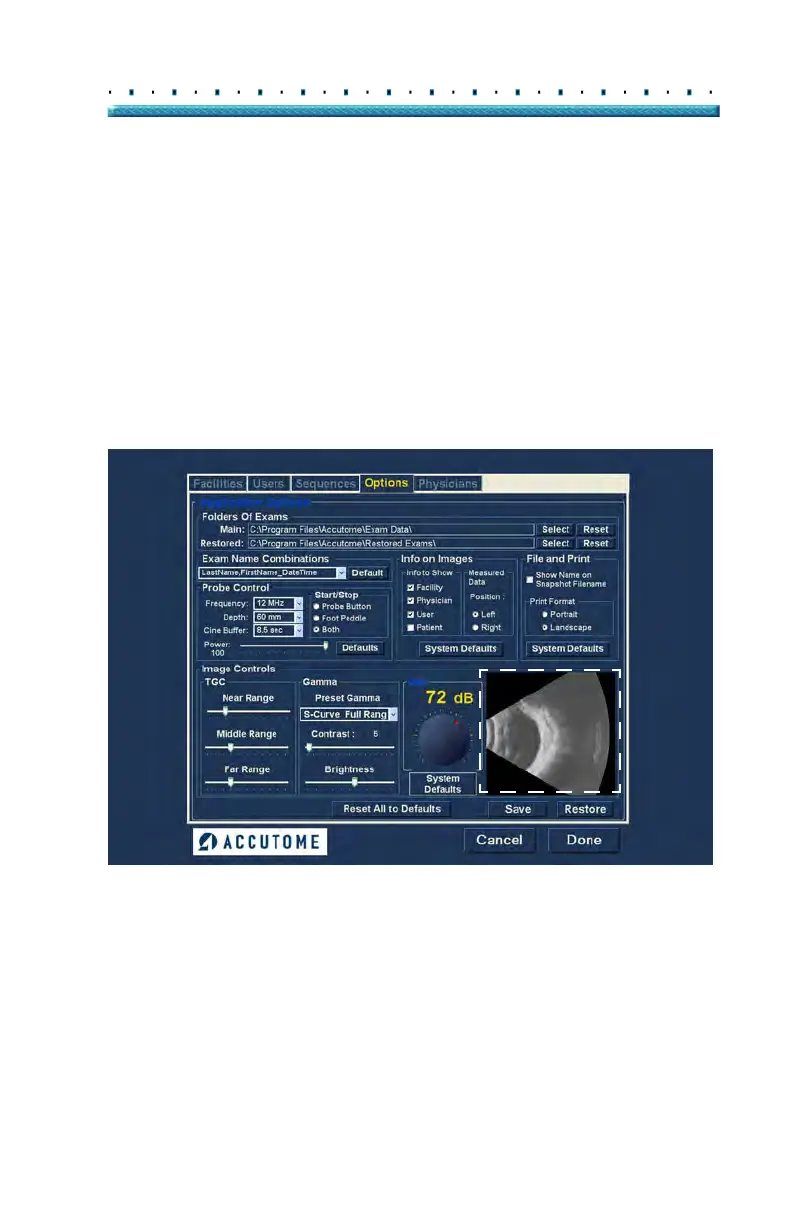
One of the great features of the Accutome B-Scan Plus
is the ability to view the actual adjustments to image
controls live, while you are changing the settings. As
you make image control adjustments the Small Image
Window, located at the bottom right of the screen (see
Figure 55 below) displays how the changes will affect
image scanning. The image controls on the Setup
Op
tions Screen allow you to adjust:
TGC
Gamma
Gain
Figure 55 Image Settings Before Adjustment



 To Next Page