78
Accutome B-Scan Plus User Guide
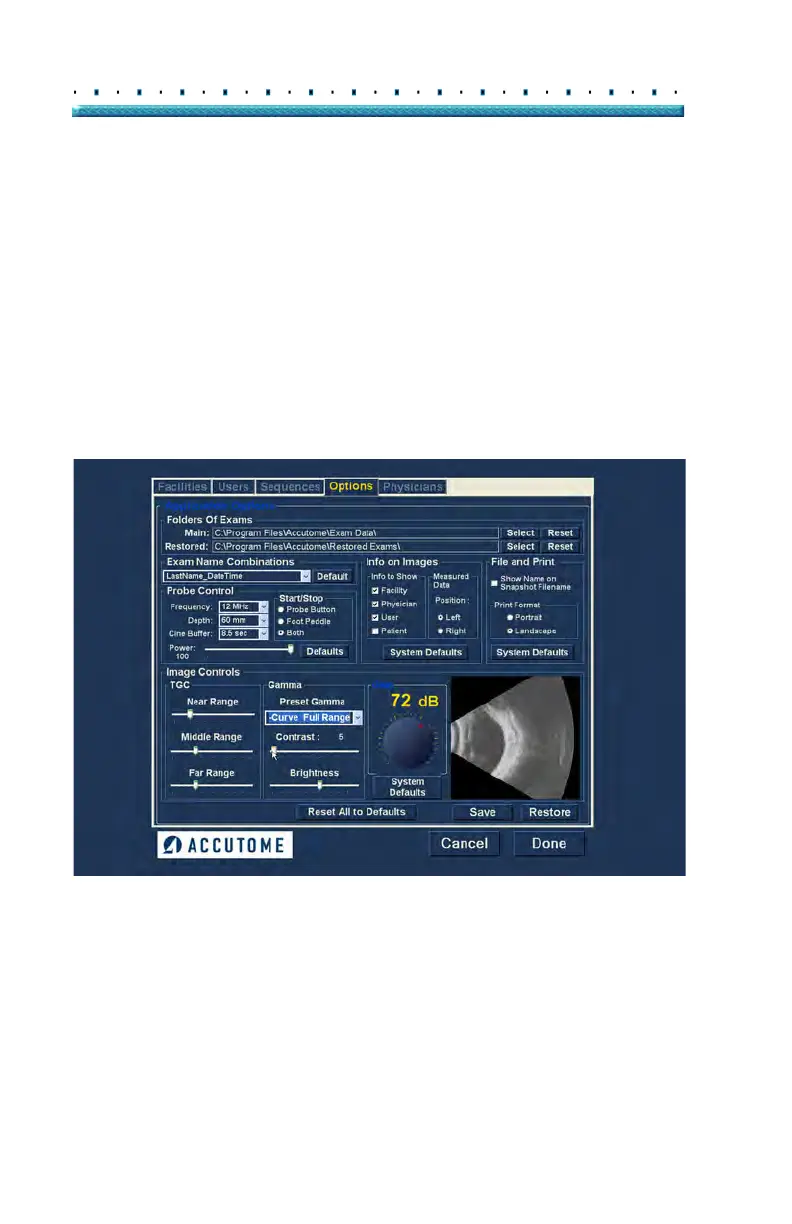
Contrast
You can adjust the contrast between light and dark areas
of the scanned image capture by dragging the slide
indicator as shown in Figure 58 below.
Brightness
You can adjust the brightness of the scanned image
capture by dragging the slide indicator as shown in
Figure 58 below.
Figure 59 on page 79 displays the changes made to
image controls and their effect on scanning.
Figure 58 Adjusting Contrast and Brightness



 To Next Page