55
Setup Sequences
How to Add Another Sequence Scan
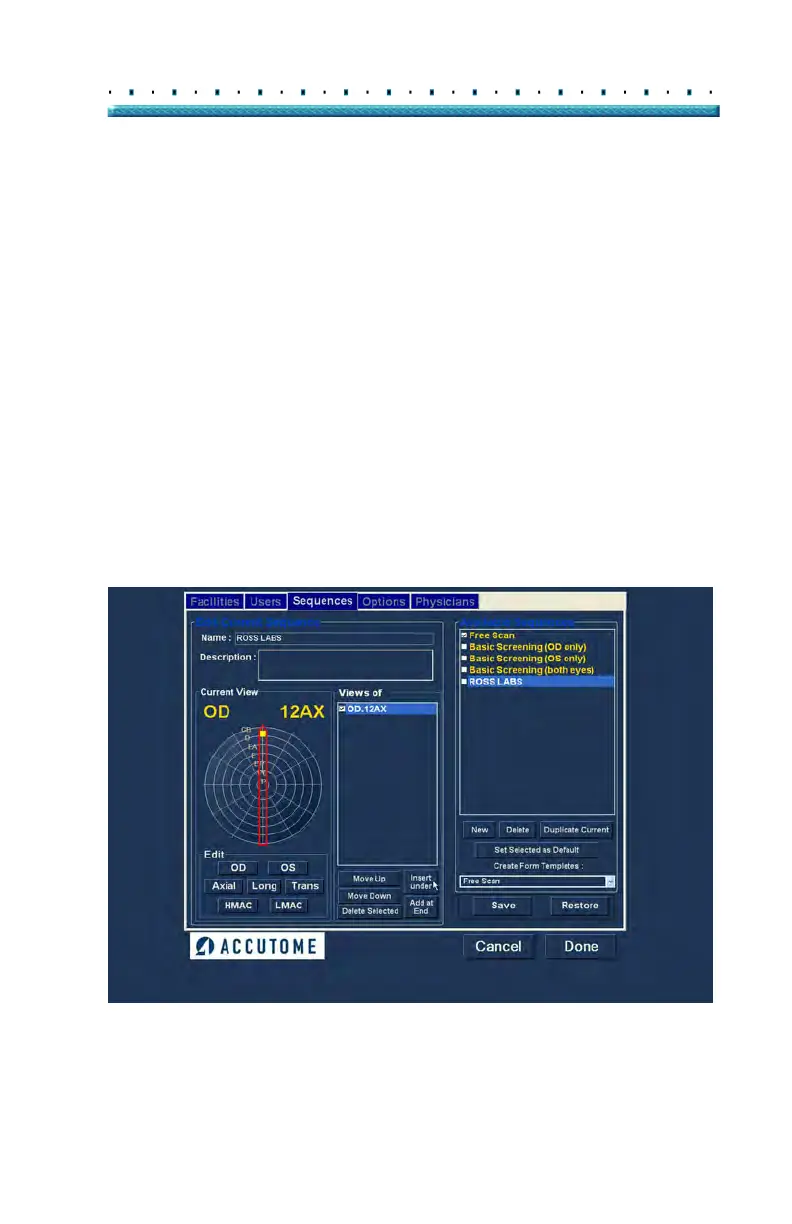
The "Views of" panel on the Sequences screen list all
available scans in the current sequence. There are
several command buttons for manipulating the sequence
scans:
Insert Under - adds a new scan under the
currently selected scan
Add at End - adds a new scan to the end of the
sequence
Move Up - moves the selected scan up in the
sequence order
Move Down - moves the selected scan down
in the sequence order
Delete Selected - deletes the selected scan
from the sequence order
To add another scan to the new sequence:
1. Cli
ck "Insert Under" as shown in Figure 36 below.
Figure 36 Adding a New Sequence Scan



 To Next Page