168
Accutome B-Scan Plus User Guide
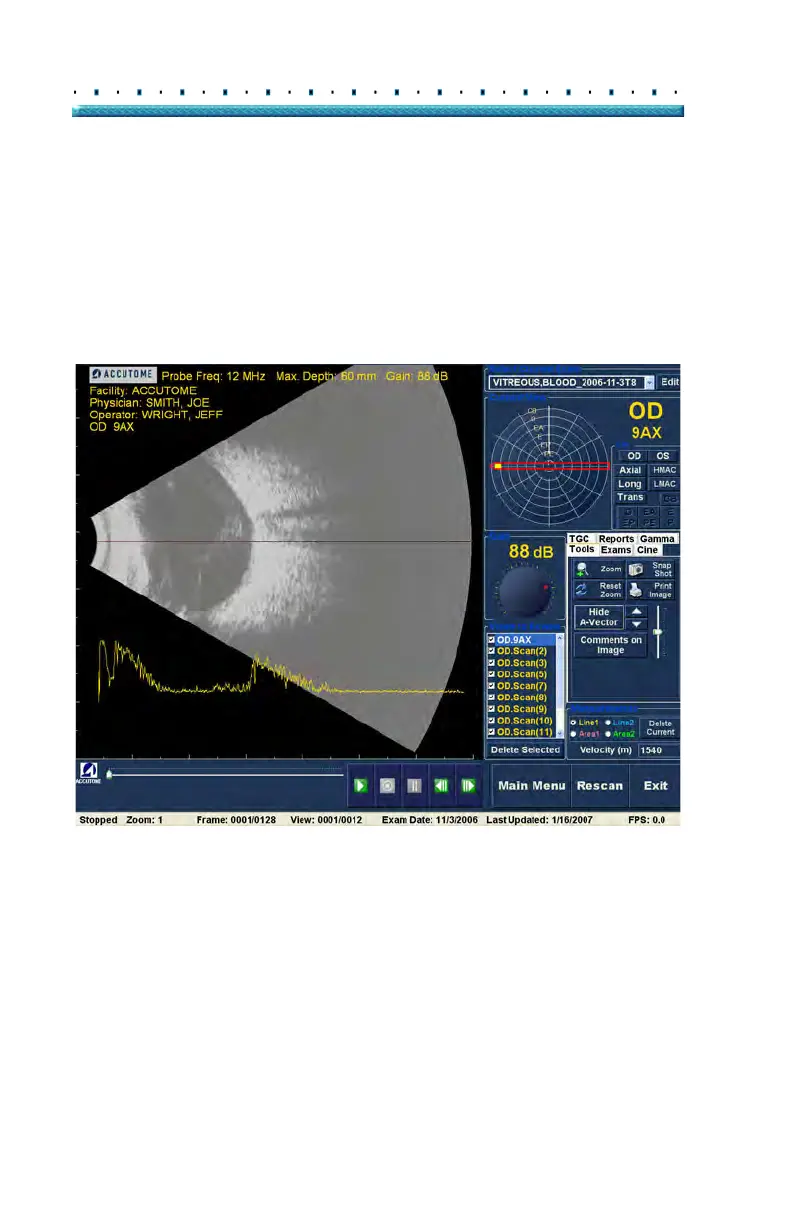
2. The A-Vector will be displayed under the live
image as shown in Figure 132 below.
3. The position of the A-Vector on the image can be
moved by using the buttons or the slide control to
the right of the Hide A-Vector button.
4. T
o close the A-Vector select "Hide A-Vector".
Figure 132 A-Vector Displayed



 To Next Page