32
Accutome B-Scan Plus User Guide
Operation
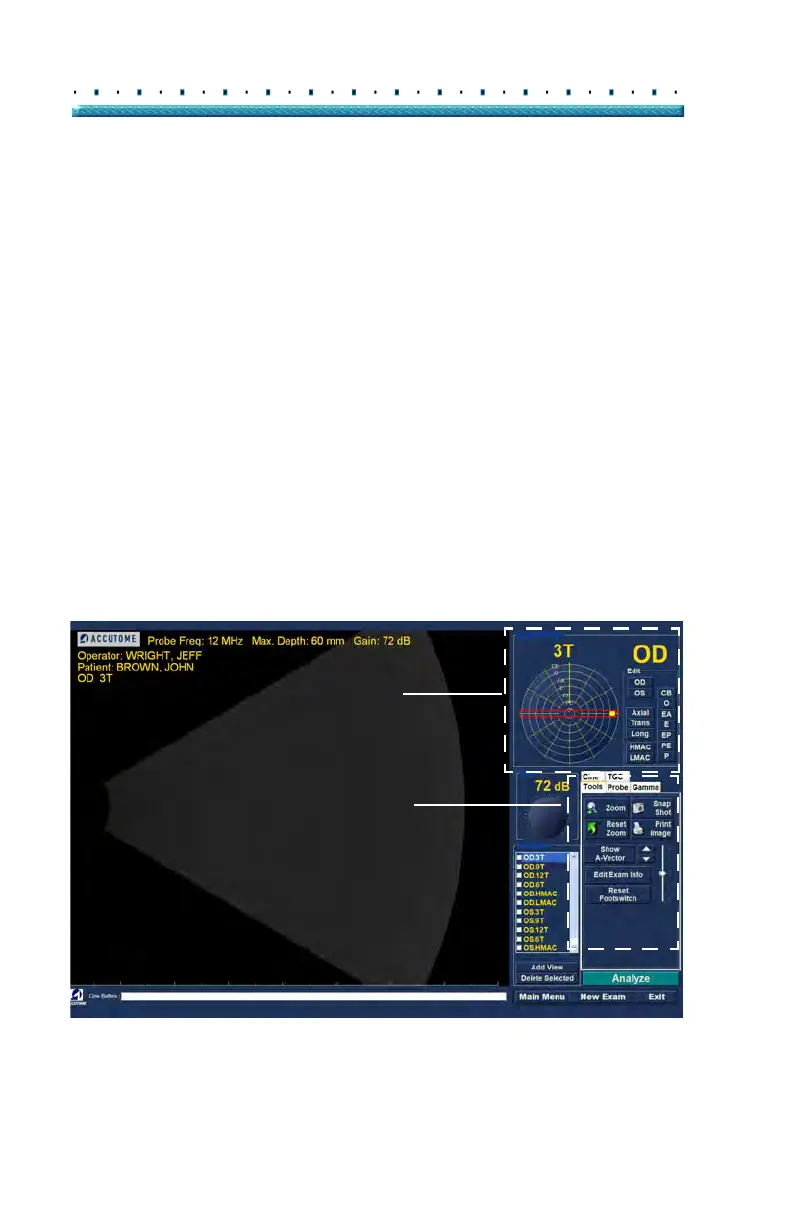
After you have entered all the Patient information and
prior to scanning you should set the imaging selections
to your liking.
The selections you can change are:
Current View - OD/OS which eye are you
measuring, OD or OS? Which orientation is
the probe, Axial, Transverse, or Longitudinal
Probe - available adjustments are range and
power
Cine - available adjustments are Frame
Averaging and Frame Render Delay
TGC - do the System Near, Mid and Far values
need adjustment?
Gamma - Does the Gamma setting need
adjustment?
All imaging selections (other than current view) are
avai
lable in the Tools palette, by selecting the tab. See
Figure 13 below for tools location.
Figure 13 Tools Palette and Current View
Current View
Tools Palette



 To Next Page