137
Patient Image Analysis Analyze Screen
Analyze
Screen
The Analyze Screen contains many features to enhance
image diagnostics
Analyze Screen Features
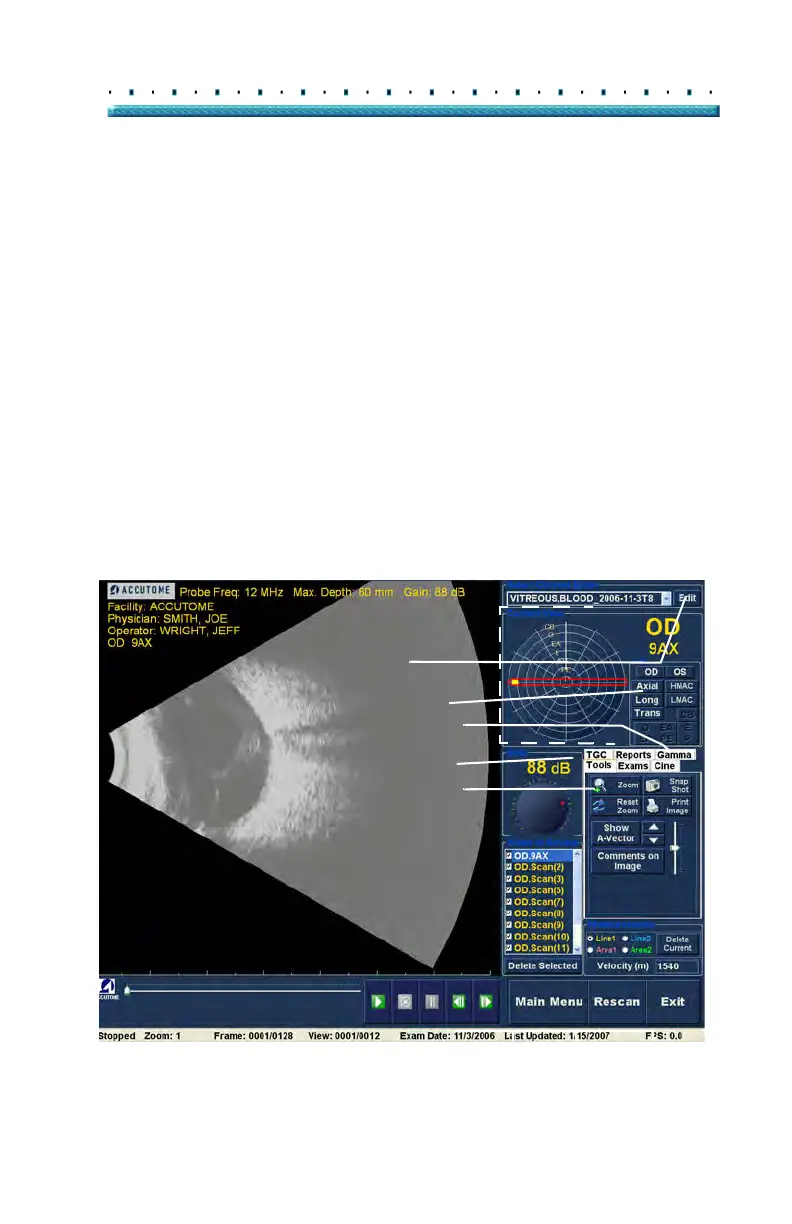
Upon start of the exam the Accutome B-Scan Plus
launches the Analyze Screen. The Analyze Screen
displays:
Exam Information
All Exams (drop down list for selecting an
existing exam)
Current View (active display of scan
sequence)
Play Controls (for viewing scan film loops)
TGC Adjustments
Tools Palette - including Zoom Controls,
A-Vector, Comments, Print Image, Snap Shot
Gamma Adjustments
Edit Exam Info
Figure 106 Analyze Screen Layout
Exam Info
Current View
Play Controls
Views to
TGC Adjustments
Gamma Adjustments
Edit Exam
All Exams
Review
Info
Tools Palette
Edit Current View
Cine Buffer Frame Index
Menu Buttons



 To Next Page