170
Accutome B-Scan Plus User Guide
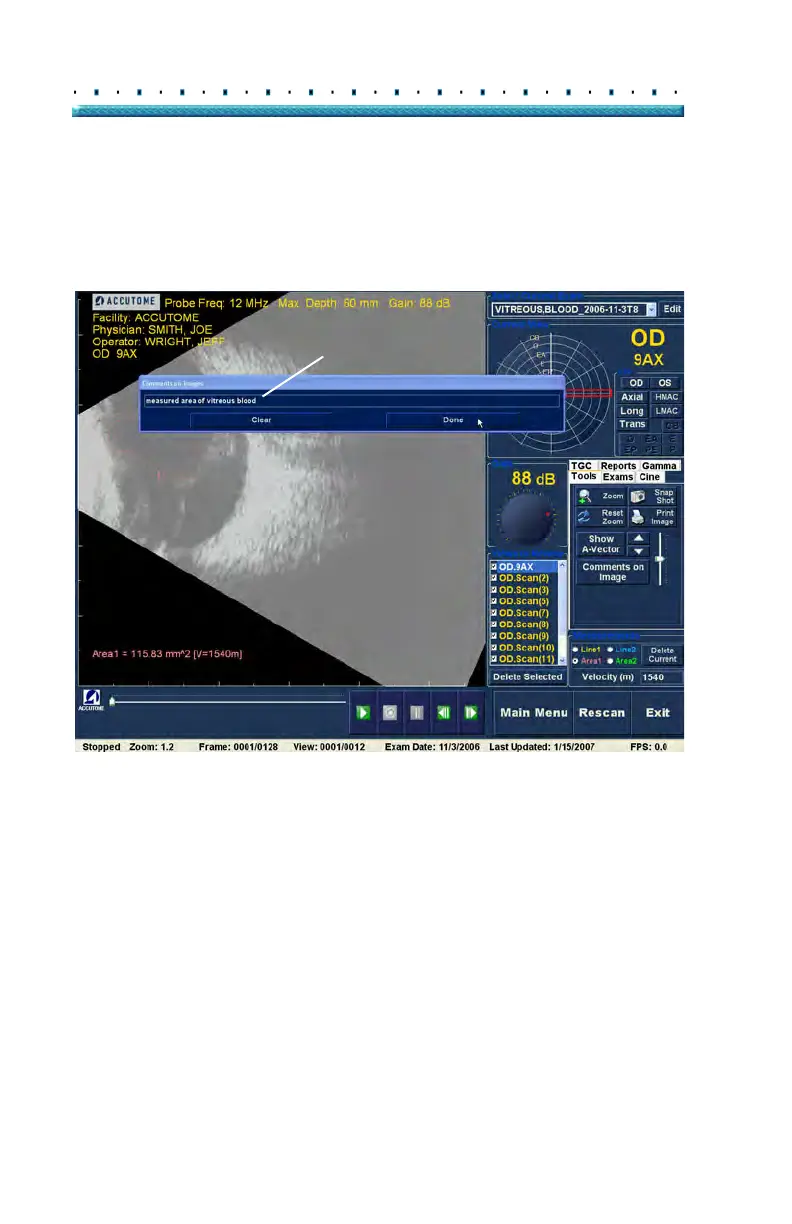
2. The "Comments on Image" dialog shown in Figure
134 below will display on the screen.
3. Cli
ck in the text field and enter your comments.
4. If you would like to clear the comments that you
have typed, click on "Clear"
5. Sele
ct "Done" when you are finished.
Figure 134 Entering Comments



 To Next Page