219
Archive and Restore Restore Local/Network Hard Disk
Restore Local/
Network Hard
Disk
The Restore function also gives you the option of
restoring files from a local or network hard disk. The
process like restoring from a DVD/CD is simple:
1. Sele
ct the Local/Network HD tab.
2. Sele
ct the folder from which you would like to
restore exams.
3. Sele
ct the patient exams you would like to restore.
4. Select the Restore tool.
*Note: The folder where the restored exams will be placed
is preset on the Options Screen during Accutome B-
Scan Plus setup. See "Restored Folder" on page 62
of this manual for more information.
Selecting the Local/Network HD Tool
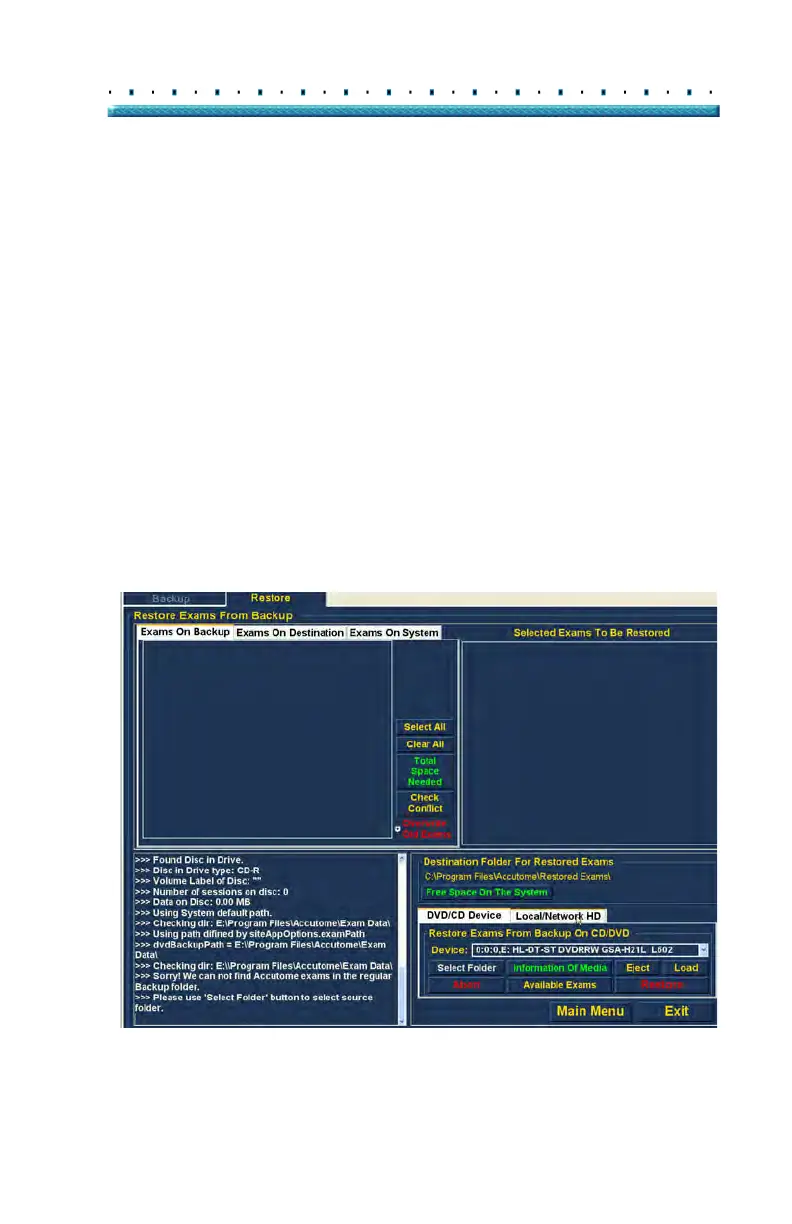
To activate the local/ network hard drive restore tools:
1. Loca
te the Local/Net HD tab in the tools palette.
2. Click on the tab as shown in Figure 176 below.
Figure 176 Selecting the Local/Net Hard Disk Restore Tools



 To Next Page