169
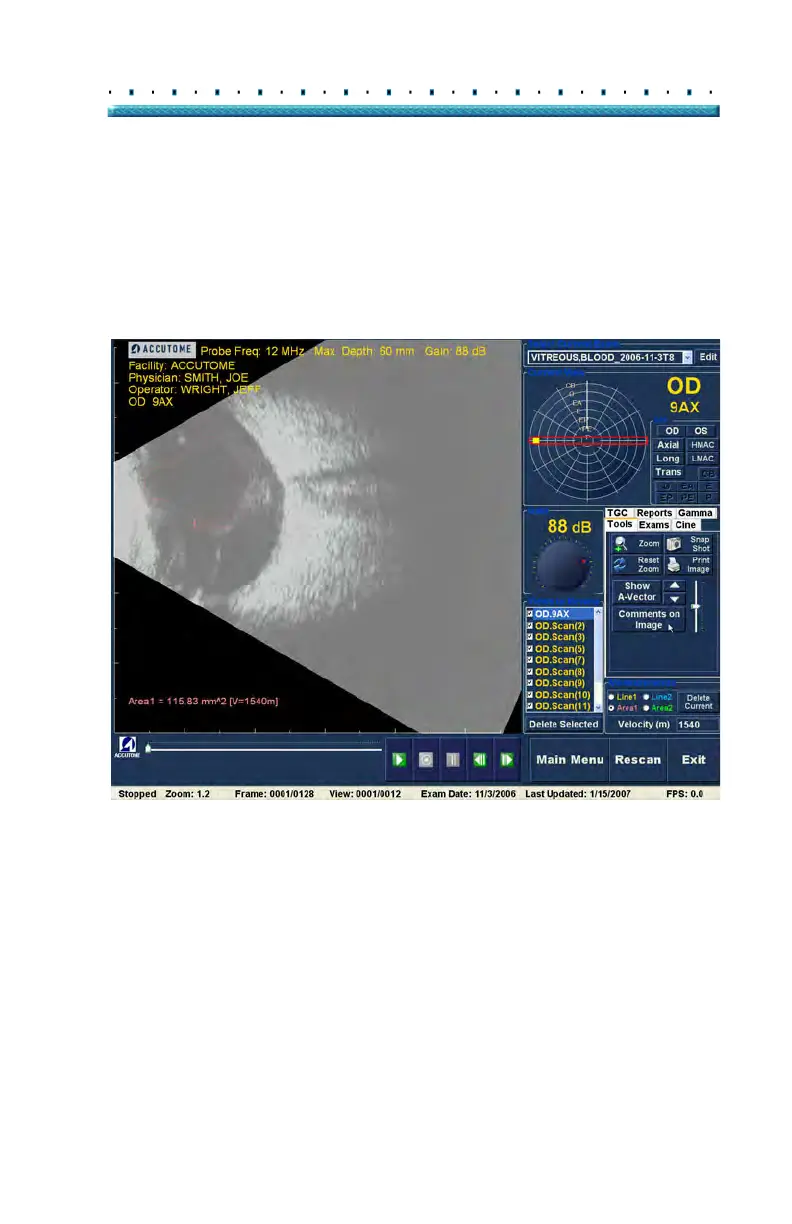
Patient Image Analysis Comments on Image
Comments on
Image
The Accutome B-Scan Plus allows you to place
comments on an image from a patient exam. The
comments feature can be important in providing an
accurate image analysis.
To place a comment on an image:
1. In
the "Tools" tab of the tools palette, select "Com-
ments on Image" as shown in Figure 133 below.
Figure 133 Selecting "Comments on Image"



 To Next Page