147
Patient Image Analysis Playing an Exam
Playing an
Exam
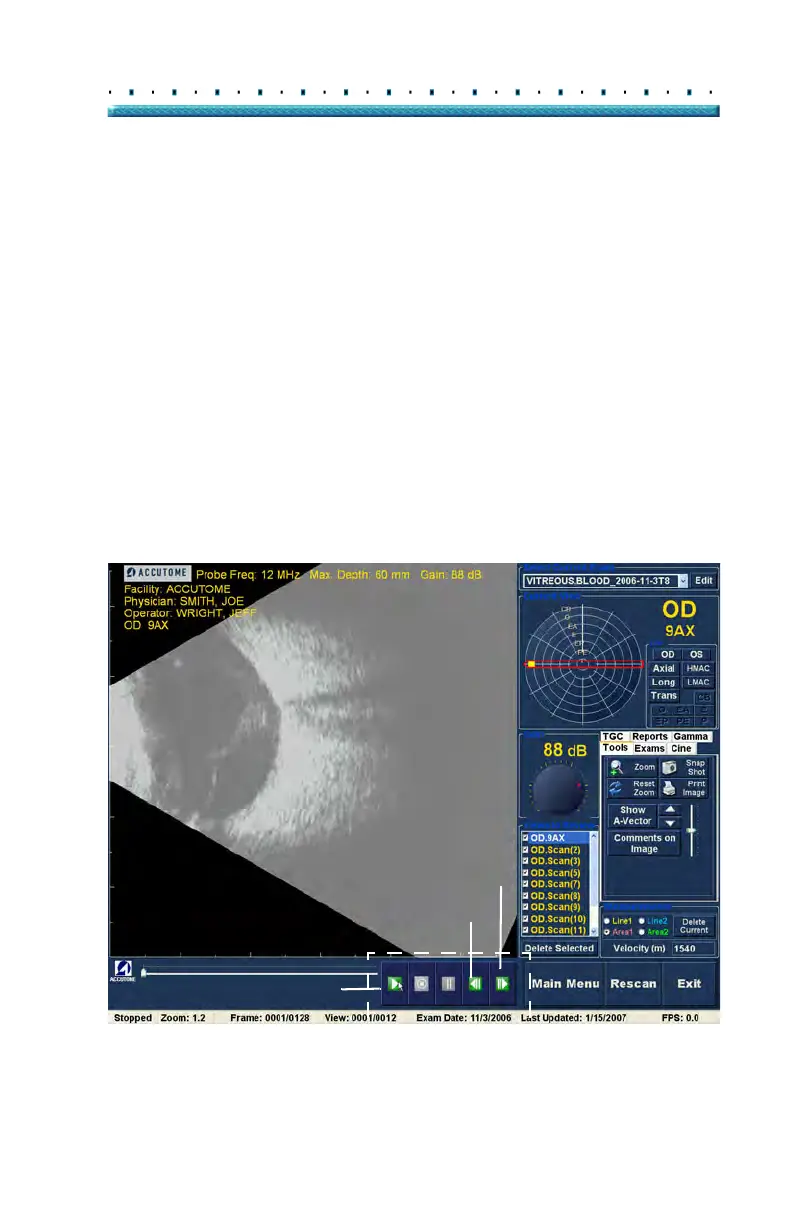
The Accutome B-Scan Plus allows you to view any
portion of a scan film loop. At the bottom of the existing
exam screen are the image playback controls. They are
intuitive and easy to use and similar in appearance to
controls on a VCR or DVD remote controller.
The playback controls consist of:
Play
Stop (and return to the beginning of the film
loop)
Pause
Forward one frame at a time or continuously
Backward one frame at a time or continuously
When you first load a scan film loop the only playback
control bu
ttons that are enabled are the play, forward,
and backward. To start the scan film loop click on the
Play button as shown in Figure 113 below.
Figure 113 Starting Scan Play
Exam Play Controls
Play
Forward
Backward



 To Next Page