64
Accutome B-Scan Plus User Guide
Folders of Exams
There are two selections folders; Main and Restored.
The Main folder is the location at which you store any
new patient exams. The Restored Exams folder is the
location which you designate for restoring patient exams.
Main Folder
The Exam Folder selection allows you to designate the
location of the folder in which you would like to store new
patient exams.
The default location is: C:\\Program
Files\Acc
utome\Exam Data. You can store patient exams
in any computer location you choose. To change from
the default location:
1. C
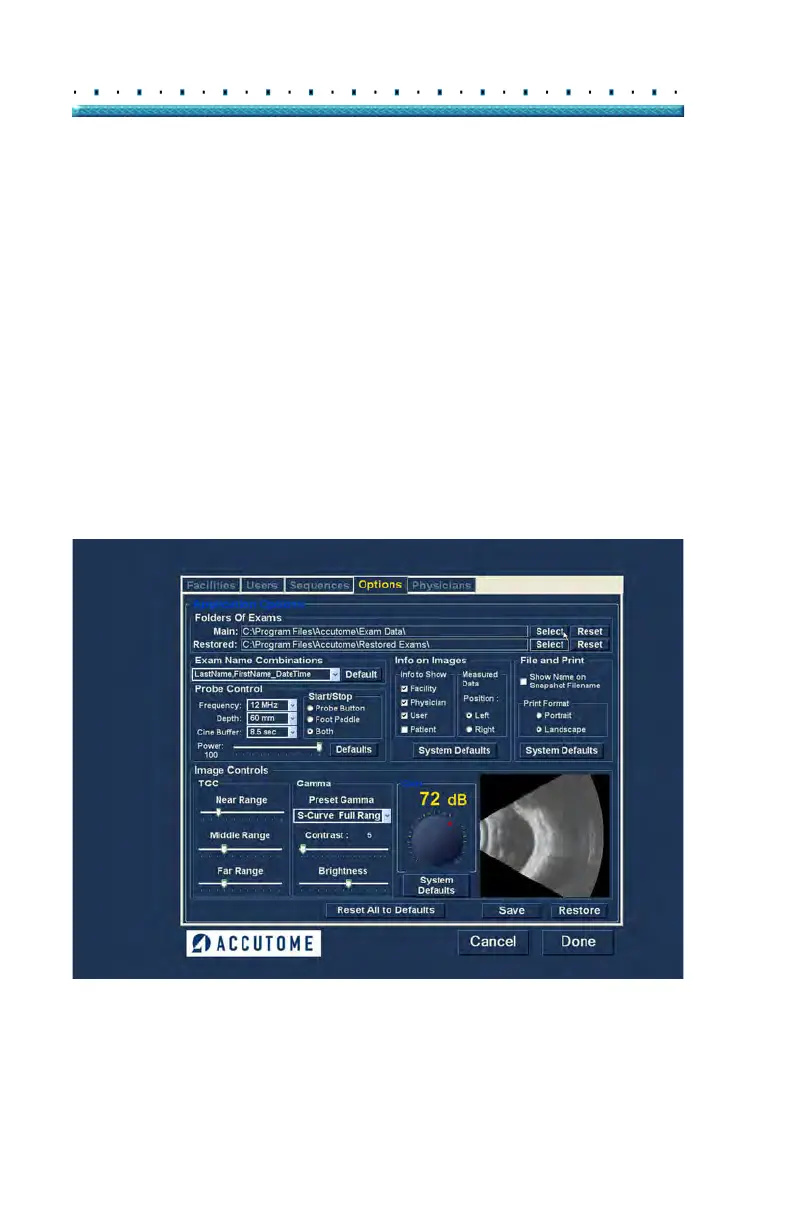
lick on "Select" as shown in Figure 46 below.
Figure 46 Selecting Main Exam Folder



 To Next Page