101
Performing Exams Initial Exam Screen
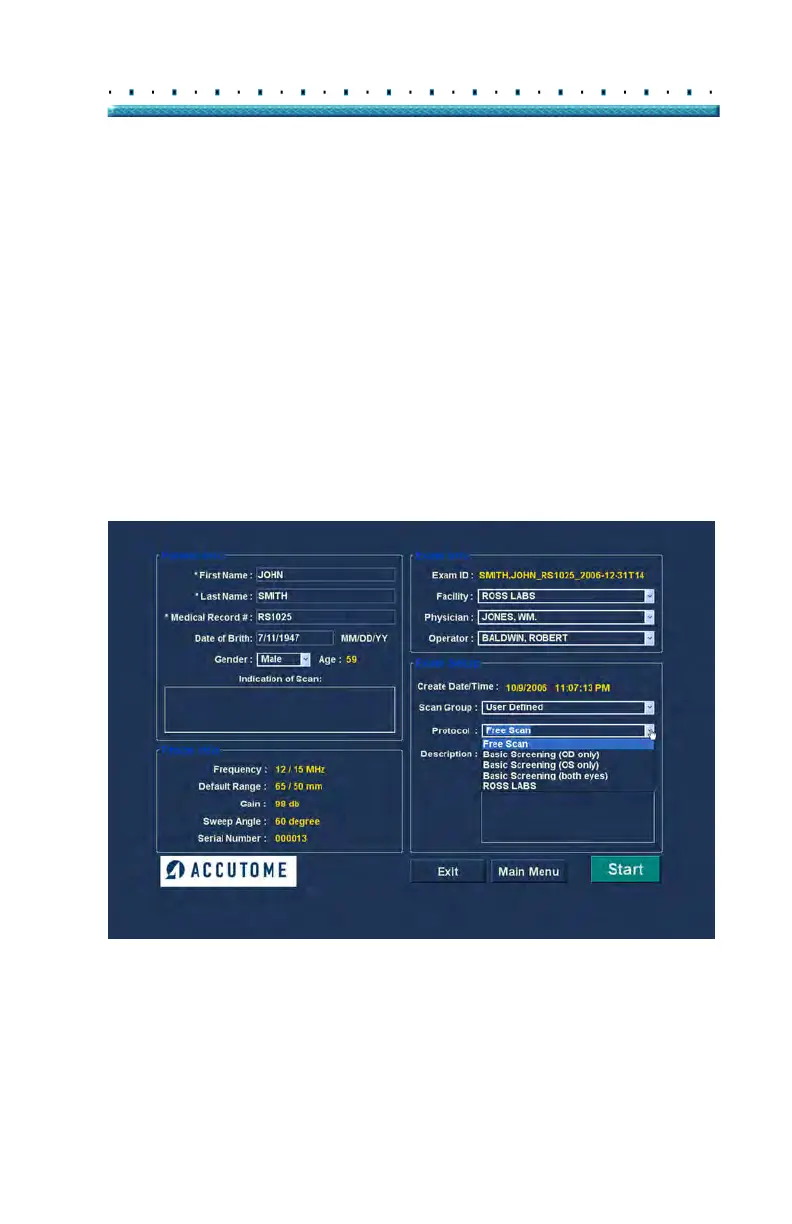
Protocol
All Sequences protocols created in the B-Scan Plus
Setup are listed in the Protocol drop down. If you
selected System Defaults as the Scan Group all the
system default protocols will be listed. If you selected
User Defined as the Scan Group all the customized
sequence protocols will be listed.
For more information on Sequencing protocols refer to
Cha
pter 4, Setup, of this manual.
Description
The Description field in the Exam Info area provides a
description of the scanning protocol being performed
with the Accutome B-Scan Plus.
Figure 80 Selecting Scan Protocol



 To Next Page