182
Accutome B-Scan Plus User Guide
4. The Accutome B-Scan Plus will then launch the
dialog displayed below. If you would like to perma
-
nently delete the snapshot file from the system
(from the computer which you are using to operate
the B-Scan) select "Yes". If you don’t want to
delete the snapshot select "No".
Figure 140 Confirming Snapshot Deletion
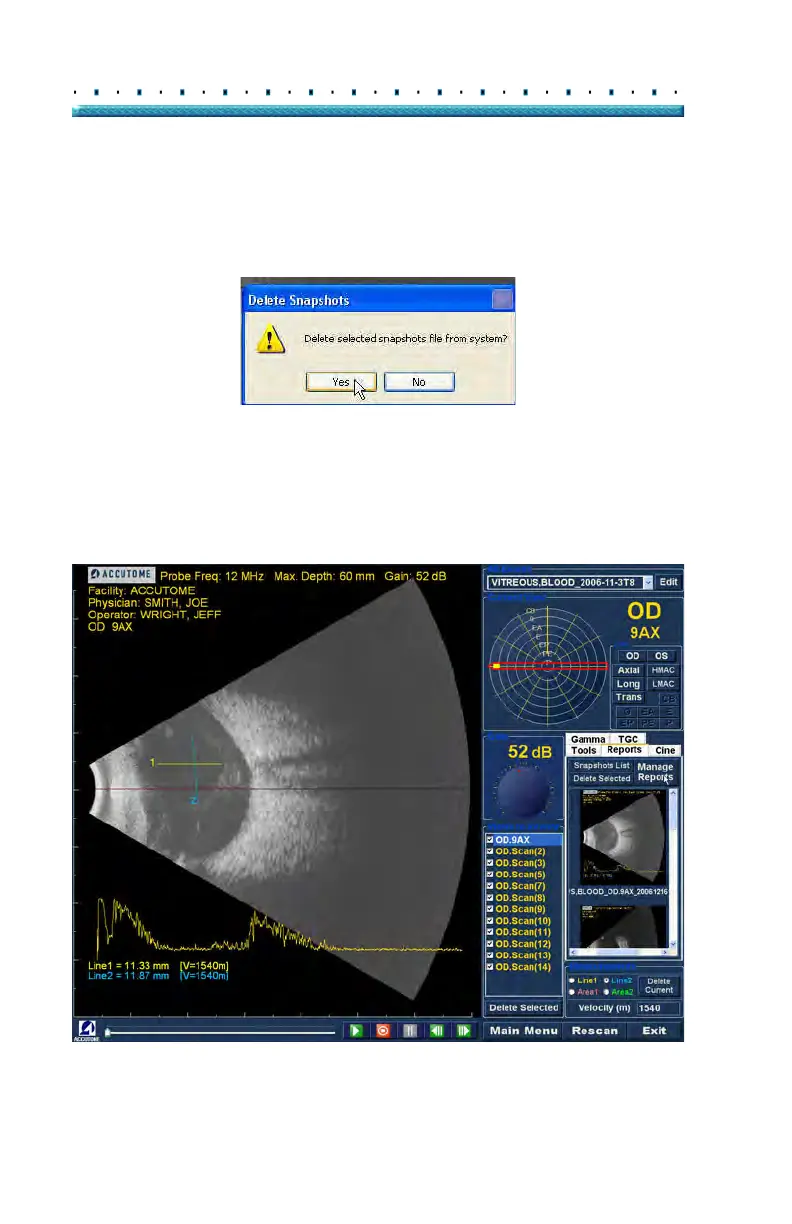
Executing Manage Reports
When you are satisfied with the list of snapshots to enter
in the report click on "Manage Reports" in the Reports
tab as shown in Figure 141 below.
Figure 141 Executing Manage Reports



 To Next Page