77
Setup Options
Gamma Settings
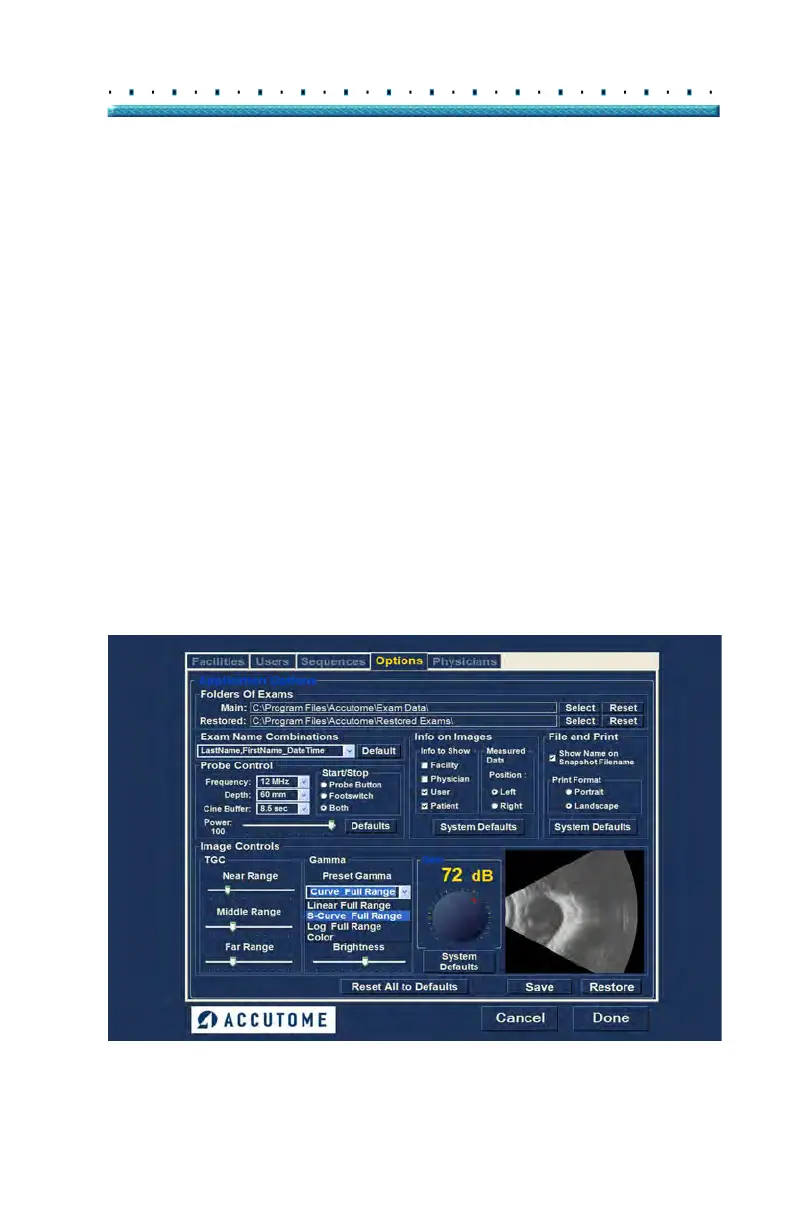
The Gamma portion of the Image Controls Setup allows
you to choose a preset gamma for scanning and to
adjust the brightness and contrast for captured images.
Preset Gamma
Adjusting gamma settings make certain parts of the
scanned image brighter and others less bright. There
are 12 preset gamma settings:
Linear Full Range
S-Curve Full Range
Log Full Range
Color
Linear Low Range
The default gamma setting is S-Curve Full Range. To
chan
ge the gamma preset select the appropriate value
from the drop down list located at the right of the depth
field as shown in Figure 57 below.
Figure 57 Selecting a Preset Gamma



 To Next Page