69
Setup Options
Probe Control
The Probe Control options allow you to change the
default settings of the probe. The options are:
Frequency
Depth
Cine Buffer
Start/Stop
Power
Frequency
The probe frequency field allows you to select from two
frequencies: 12 MHz or 15 MHz. Which frequency you
choose for scanning will determine what depth settings
you can select. If you choose 12 MHz the depth options
are 30 mm and 60 mm. If you choose a frequency of 15
MHz the depth options are 50 mm and 100 mm. The
default probe settings are 12 MHz and 60 mm.
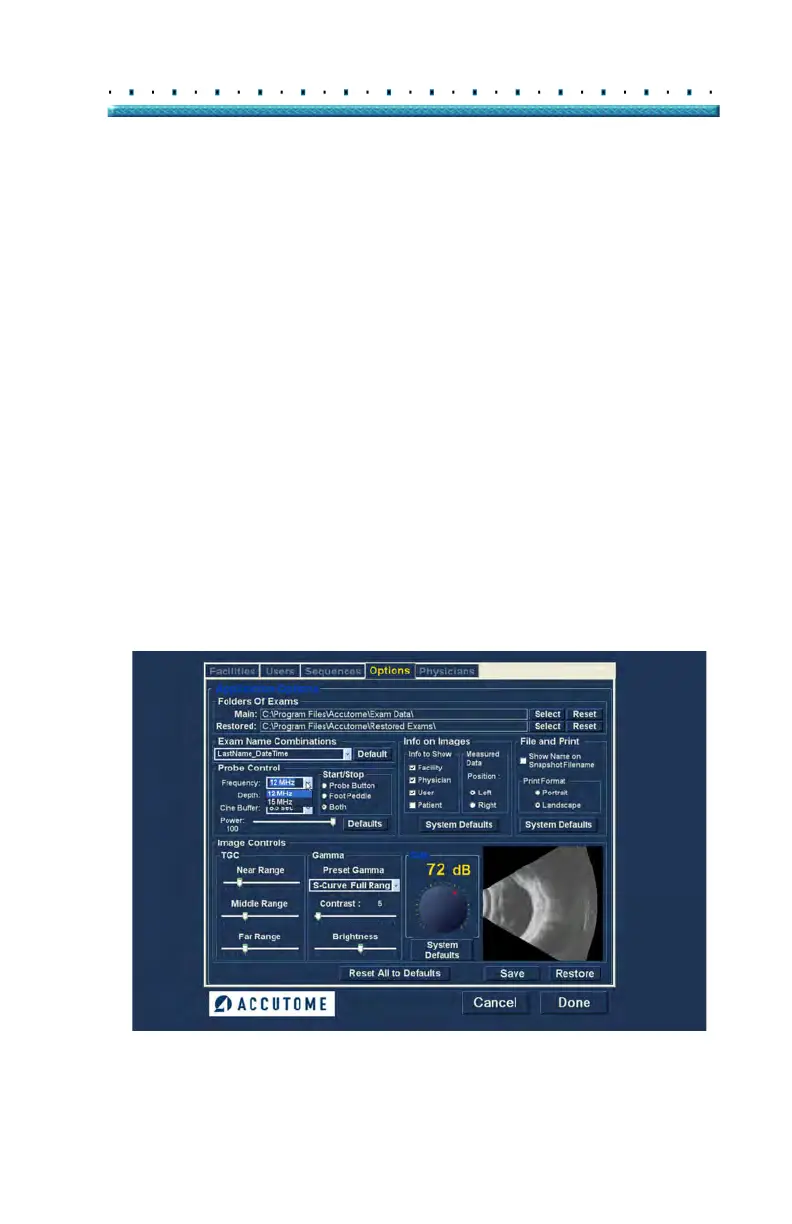
To change the frequency select the appropriate value
fro
m the drop down list located at the right of the
frequency field as shown in Figure 51 below.
Figure 51 Selecting Probe Frequency



 To Next Page