68
Accutome B-Scan Plus User Guide
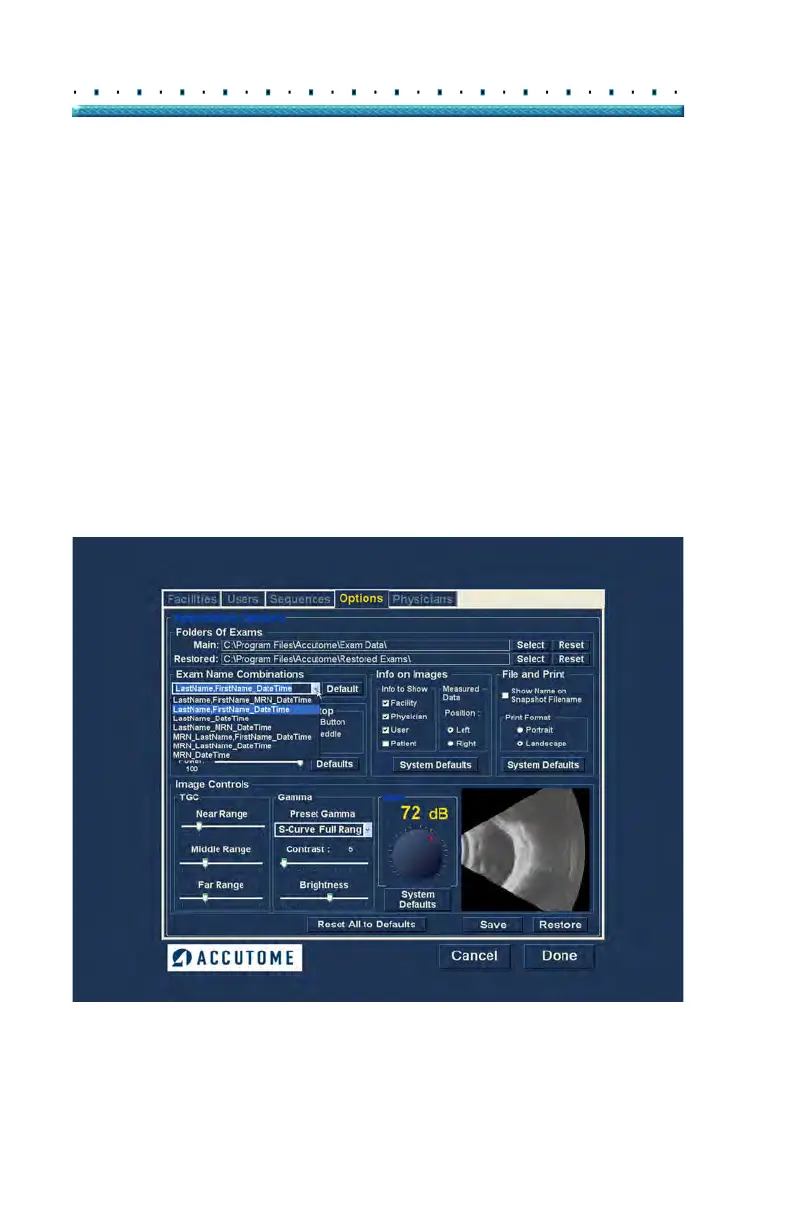
Exam Name Combination
The Exam Name Combination allows you to select how
patient information will appear on a patient exam and
exam record. There are many combinations of several
fields that are available for the Exam Name. The fields
are as follows:
LastName - patient’s last name
FirstName - patient’s first name
MRN - medical record number
DateTime - date and time that exam occurred.
The default Exam Name Combination is:
LastName,F
irstName_MRN_DateTime
To use a combination other than the de
fault select the
combination from the drop down list as shown in Figure
50 below.
Figure 50 Selecting Exam Name Combination



 To Next Page