97
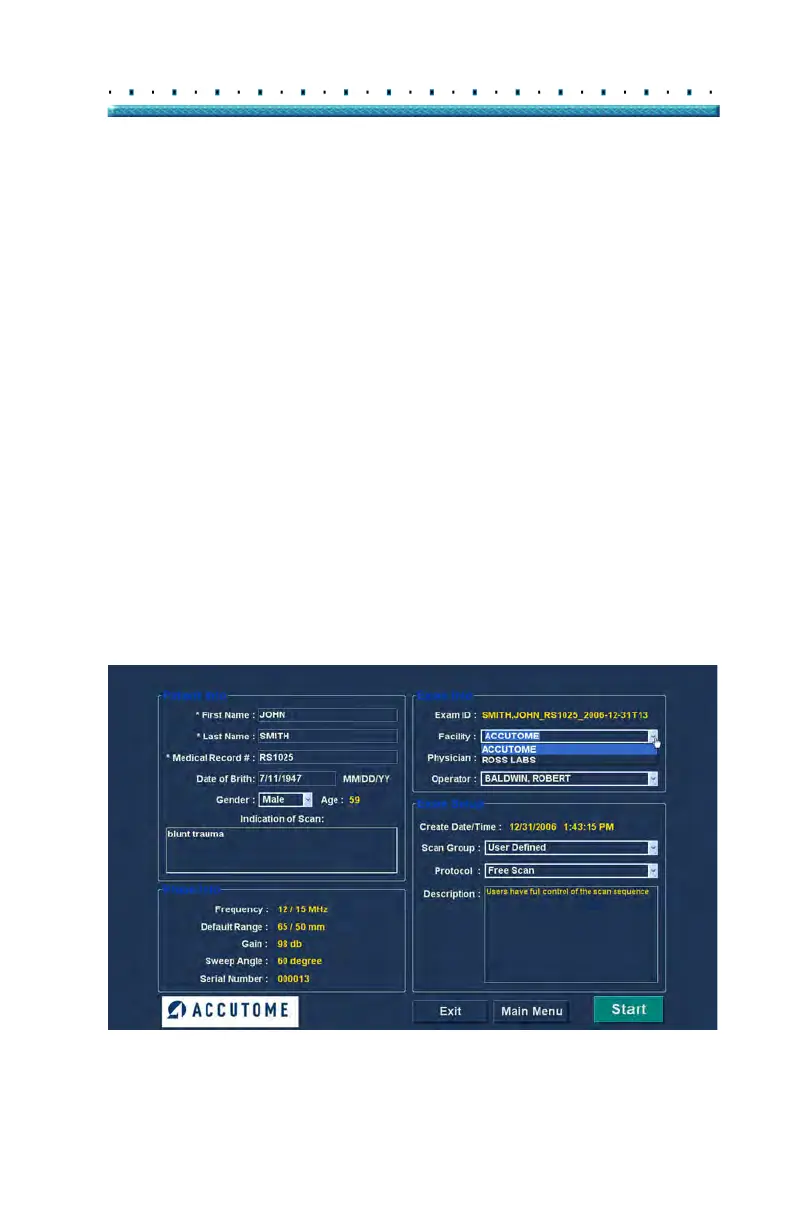
Performing Exams Initial Exam Screen
Exam Info
The Exam Info area displays information related to the
current exam and patient.
Exam ID
The B-Scan generates an Exam ID based on this
entered Medical Record # number in combination with
the date and tracking number.
Facility
In the Facility field you can select the facility for the
Patient Exam by selecting the name from the drop down
list. Facility names are entered in the B-Scan Setup.
(Refer to Chapter 4 of this manual.)
Position the cursor on the small arrow at the right of the
fa
cility field. Left click to open the drop down list.
Position the mouse over the up/down arrows at the right
of the drop down list Click the mouse to move through
stored facilities. Once you see the facility you want to
select, position the mouse cursor over the facility and left
click. The selected facility will fill in the facility field.
Figure 76 Selecting Facility



 To Next Page