ADOBE AFTER EFFECTS 7.0
User Guide
137
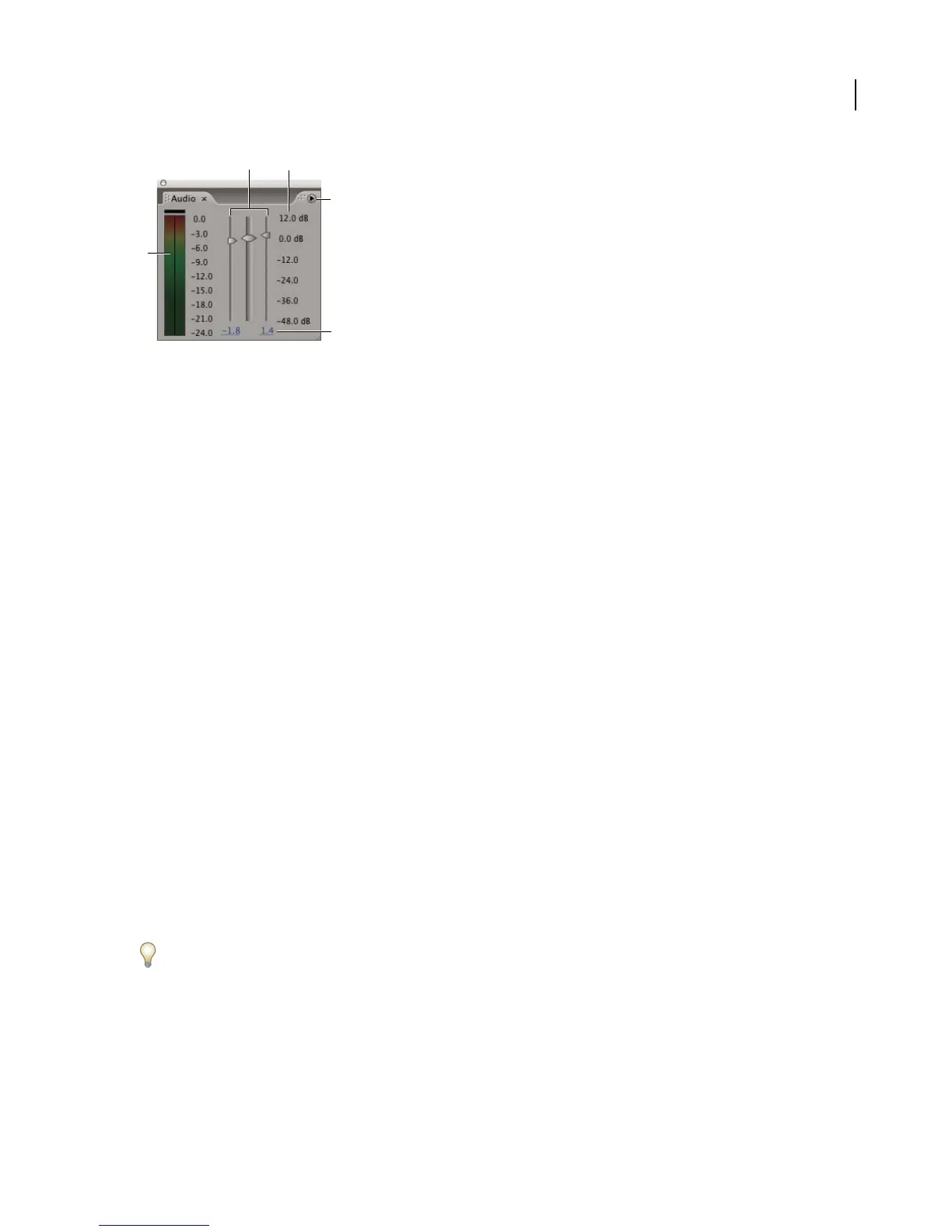
Audio panel
A. VU meter B. Level controls C. Level units D. Audio Options menu E. Level values
Note: After Effects does not support audio in Type1 DV AVI files. Attempting to scrub (manually preview) audio in these
files may cause a long delay.
See also
“To change output module settings” on page 607
To set display options for the Audio panel
1
In the Audio panel, click the triangle in the upper-right corner and choose Options.
2 In the Audio Options dialog box, select one of the following:
Decibels Displays audio levels as decibels.
Percentage Displays audio levels as a percentage, where 100% equals 0 dB.
3 From the Slider Minimum menu, select the minimum decibel level you want to display in the Audio panel, and
then click OK.
To set preferences for audio preview
1
Choose Edit > Preferences > Previews (Windows) or After Effects > Preferences > Previews (Mac OS).
2 In the Audio Preview section, type a duration for the audio preview. An audio preview begins at the current-time
indicator and continues for the duration you specify here. This option is useful when you are checking short passages
of a composition.
3 Choose an audio sample rate from the first menu.
4 Choose an audio sample size from the second menu.
5 Choose Stereo or Mono playback from the third menu.
6 Click OK.
CD-quality sound is 44.1 KHz, 16-bit stereo. However, to reduce the time and memory required to preview, you may
want to choose a lower bit depth and sample rate.
To preview audio
1
In the Composition or Timeline panel, move the current-time indicator to the time where you want the preview
to begin.
2 Choose Composition > Preview > Audio Preview (Here Forward), or press the period key (.) on the numeric
keypad.
A
C
B
E
D



 To Next Page