ADOBE AFTER EFFECTS 7.0
User Guide
406
Saturation Transform Specifies the amount to increase or decrease the saturation of the selected colors. Positive
values saturate the selected regions (moving toward pure color); negative values desaturate the selected regions
(moving toward gray).
Color To Change Specifies the color to be changed. Matching Tolerance and Matching Softness both use this color
as a target for building the color correction mask.
Matching Tolerance Specifiesthedegreeofcolormatchingbeforethecolorisaffectedbythecolorcorrection.With
low tolerances, only colors very similar to the change color are added to the color correction mask. Larger tolerances
add more of the image to the color correction mask.
Matching Softness Specifies the softness of the color correction. This control does not always soften the color
correction mask geometrically, but it affects the severity of the color correction for regions similar to the base color.
Match Colors Specifies the criterion for determining the similarity of two colors. RGB uses the red, green, and blue
components. Hue matches colors based on hue. For example, bright red, light pink, and burgundy have similar hue
values (a hue of red, but differing values of saturation and lightness). Chroma uses the two chromatic components
to determine similarity, ignoring brightness. Chroma matching is therefore sensitive to saturation and hue differ-
ences, but not to lightness differences.
Invert Color Correction Mask Inverts the mask that determines which colors to affect. If selected, all colors will be
color-corrected, except those selected by using Color To Change and matching controls.
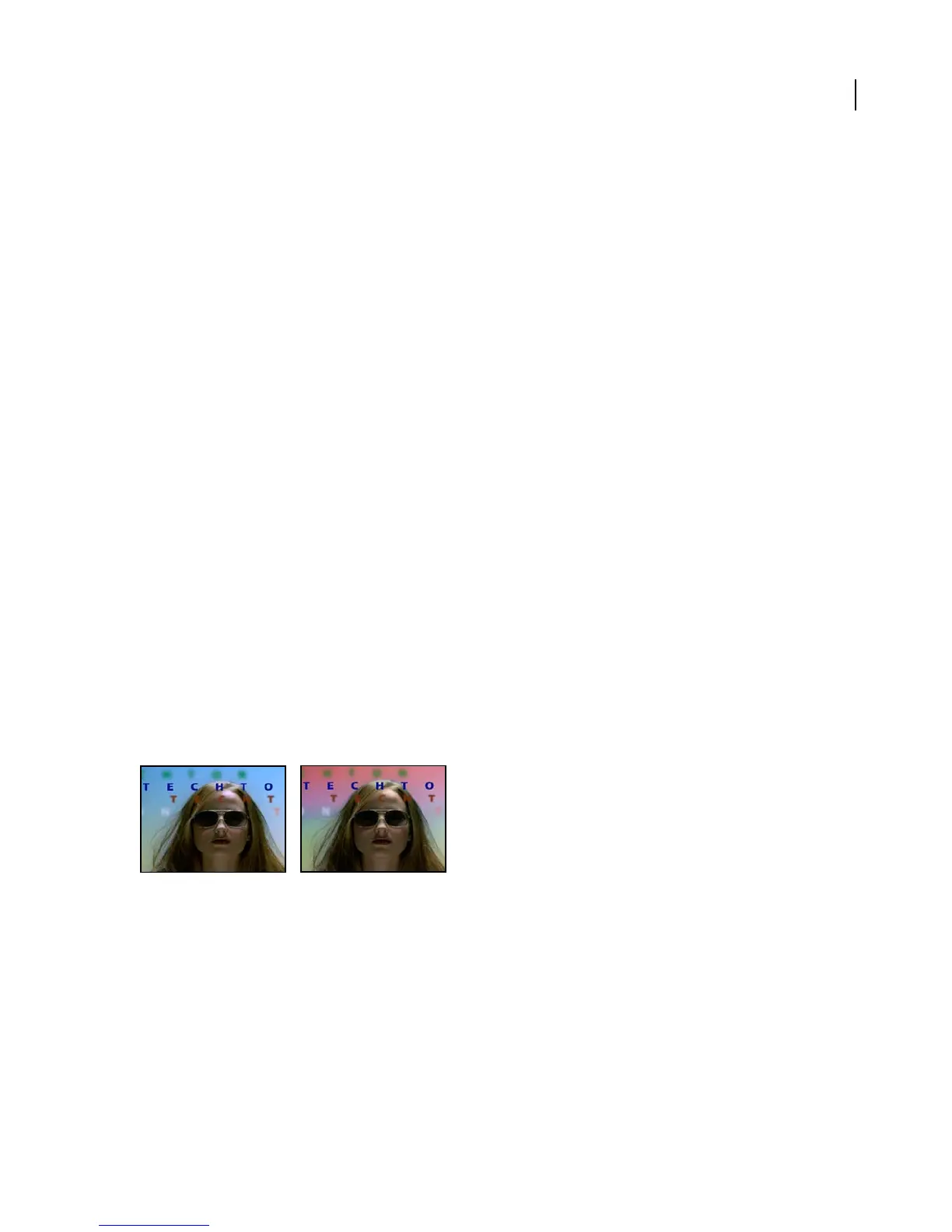
Change To Color effect
The Change To Color effect (formerly Change Color HLS effect) changes a color you select in an image to another
color using hue, lightness, and saturation (HLS) values. Perform color changes either by transforming or interpo-
lating into the new color. This filter is useful for quickly changing one selected color to another, while leaving other
colors in the image unaffected.
Change To Color offers flexibility and options unavailable in the Change Color effect. These options include
tolerance sliders for hue, lightness, and saturation for exact color matching, and the ability to select the exact RGB
values of the target color that you wish to change to.
This effect works with 8-bpc and 16-bpc color.
Original (left), and with effect applied (right)
Adjust the following controls for the Change To Color effect:
From Specifies the color that you wish to change. This selection determines which pixels will be affected by the
color change.
To Specifies the color that you wish to change to. This control determines the target color for selected pixels.
Change Specifies the HLS channels that are affected. Hue affects hue only, leaving the original lightness and
saturation untouched. Hue & Lightness affects hue and lightness only, leaving the original saturation untouched. Hue
& Saturation affects hue and saturation only, leaving the original lightness untouched. Hue, Lightness, & Saturation
affects all the channels.



 To Next Page