ADOBE AFTER EFFECTS 7.0
User Guide
438
4 Under Evolutions Options, drag the Cycle slider to set a value for Cycle that is evenly divisible by the number of
revolutions you set for Evolution.
5 Move the current-time indicator to the point on the Timeline panel where the Cycle completes. For example, if
the Cycle value is 2, find the frame on the Timeline panel where the Evolution value is 2 revolutions.
6 Move the current-time indicator back one frame. (Because the cycle begins again at the last frame, moving the
current-time indicator back prevents a duplicate frame in the seamless loop.)
7 Trim the layer’s Out point.
8 Prerender this layer, and import it into your project.
9 Set this prerendered footage item to loop. (See “To loop footage” on page 125.)
Note: If you set keyframes for any of the other controls, you must return them to their initial settings at the point on the
Timeline panel where the cycle begins to repeat. Otherwise, these properties don’t loop.
Twirl effect
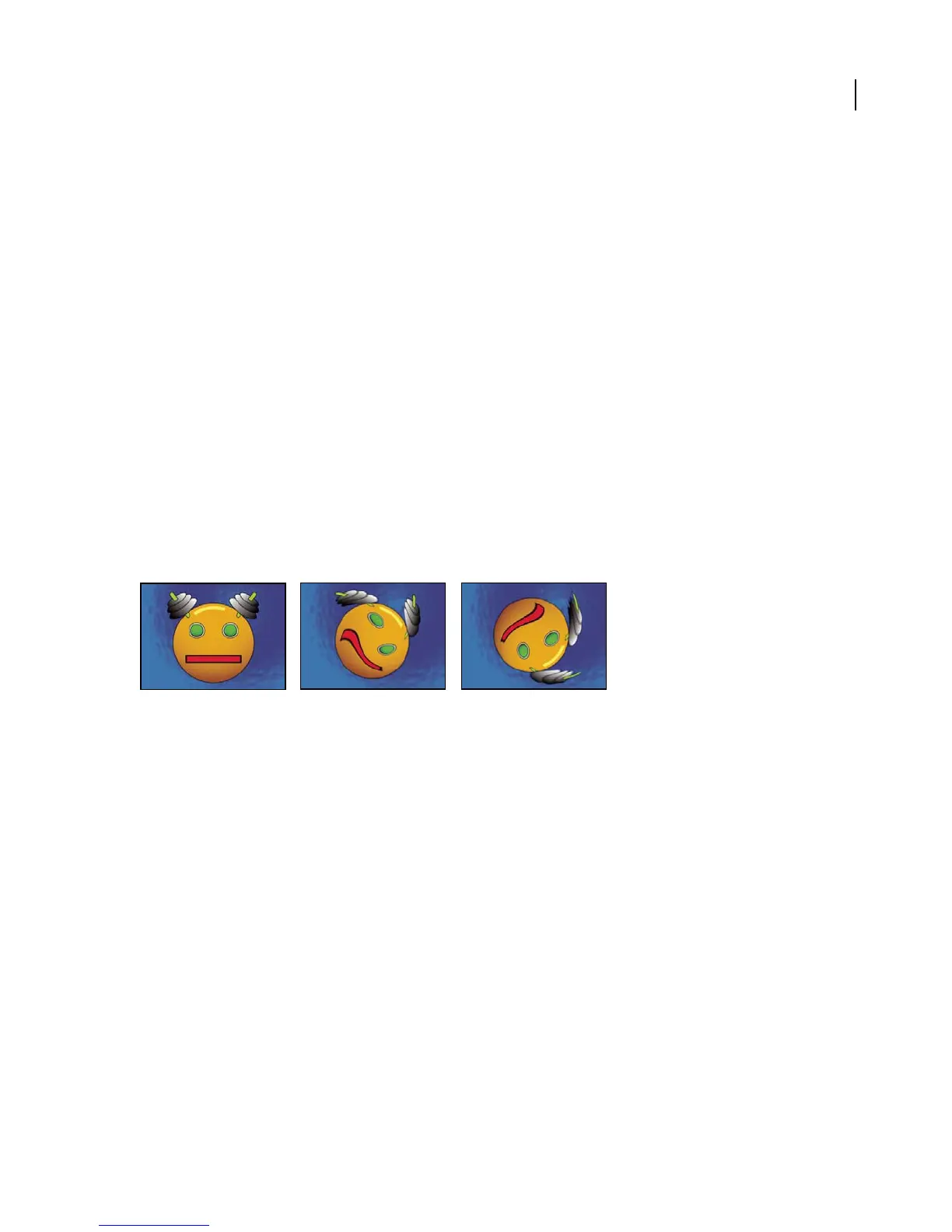
The Twirl effect twirls the pixels of an image a specified amount around a specified point. Pixels nearer the center
point are twirled faster than pixels in outer regions, resulting in a whirlpool appearance. Because distortion in this
effect is significant, After Effects uses special anti-aliasing techniques to produce the highest-quality image. As a
result, the Twirl effect can be particularly slow to render.
This effect works with 8-bpc and 16-bpc color.
Twirling a layer
Adjust the following controls for the Twirl effect:
Angle Specifies how far and in which direction to twirl the image around the twirl center. Positive angles twirl the
image clockwise; negative angles twirl it counterclockwise. To animate the twirl as a whirlpool, set keyframes for the
angle.
Twirl Radius Specifies how far the twirl extends from the twirl center. This value is based on a percentage of the
maximum horizontal or vertical distance of the layer, whichever is greater. A value of 50, for example, produces a
twirl that extends to the edge of the layer.
Warp effect
Use Warp to distort or deform After Effects layers. The 15 warp styles work much like the Warp effects in Adobe
Illustrator and Warp Text in Adobe Photoshop.
This effect works with 8-bpc and 16-bpc color.



 To Next Page