ADOBE AFTER EFFECTS 7.0
User Guide
491
Note: Anti-aliased edges produce colors in a shadow edge when you choose Glass Edge, even if the original layer is fully
opaque. The layer’s original colors shine through these anti-aliased edges, while the Shadow Color fills the center of the
shadow.
Color Influence Specifies the amount of the source layer’s color values that appear in the shadow. At a value of 100%,
the shadow takes on the color of any semi-transparent pixels in the layer. If this layer contains no semi-transparent
pixels, Color Influence has little or no effect, and the Shadow Color value determines the shadow’s color. Decreasing
the Color Influence value blends the colors of the original layer in the shadow with the color chosen for the Shadow
Color. Increasing Color Influence reduces the influence of the Shadow Color.
Animate Color Influence to reduce or increase the blending of the original layer’s colors with the Shadow Color
over time.
Shadow Only Specifies whether the original layer is visible. If this box is checked, the original layer appears over the
shadow. If this box is not checked, only the shadow appears.
Resize Layer Specifies whether or not the effect considers the original layer’s bounding box as the edge of the layer.
Iftheboxischecked,theshadowcanextendbeyondthelayerboundaries.Iftheboxisnotchecked,anyareaofthe
shadow falling outside the original layer’s bounding box is cropped by the layer’s original boundaries. This option is
not useful for shadows that fall outside the composition boundaries.
Simulation effects
Card Dance effect
This effect creates the appearance of card choreography by segmenting layers into numerous cards and then
controlling all geometric aspects of the cards by using a second layer. For example, Card Dance can simulate an
extruded pin sculpture, a crowd doing the wave, or letters floating on the surface of a pond.
This effect works with 8-bpc color.
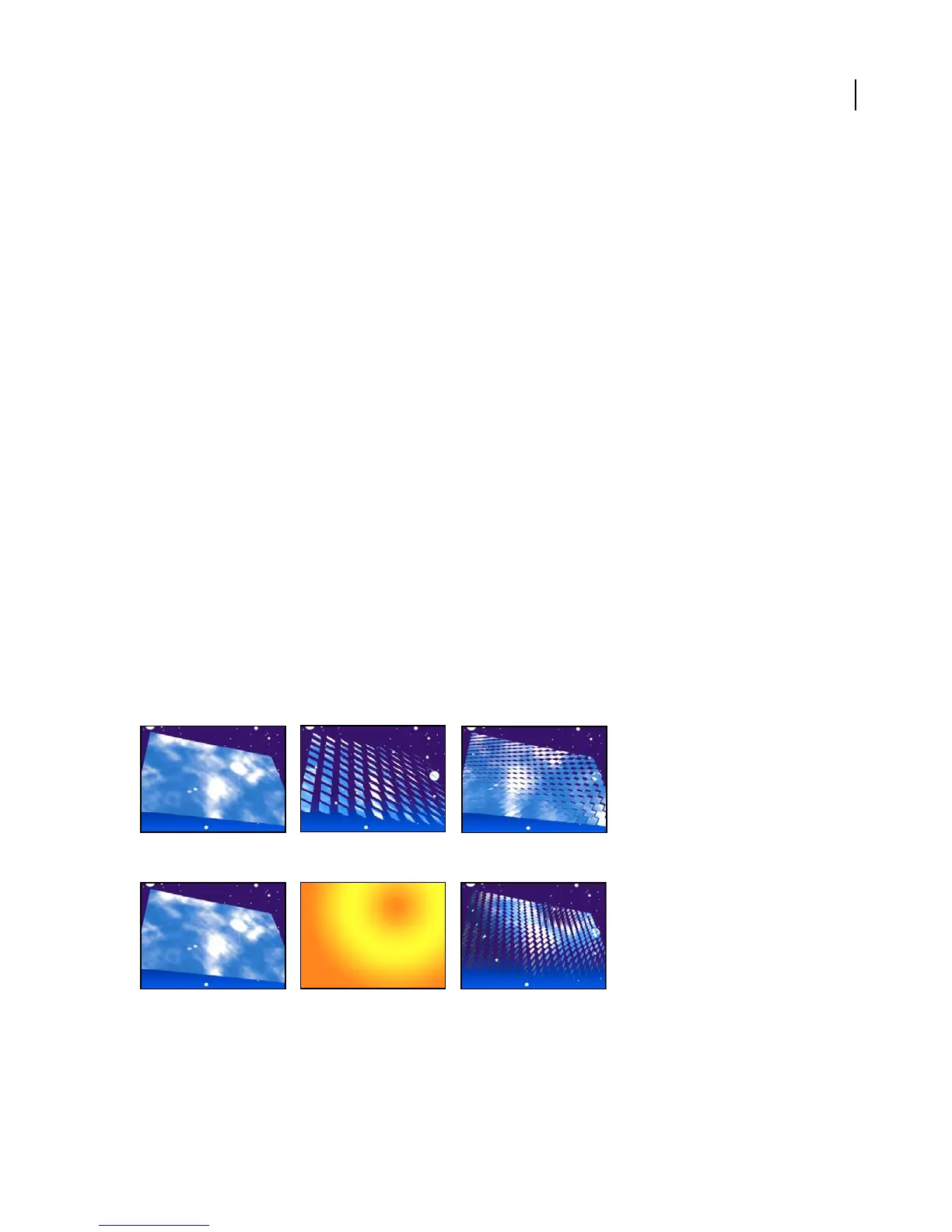
Original (left) and rotation adjusted using Camera Position controls (center) and Corner Pin controls (right)
Original (left), gradient layer (center), and with Card Dance applied (right)
Apply Card Dance to the layer you want to use for the front of the cards. To set the view, use the rotation or
perspective controls, or match the perspective of the effect in any scene by corner-pinning.



 To Next Page