ADOBE AFTER EFFECTS 7.0
User Guide
485
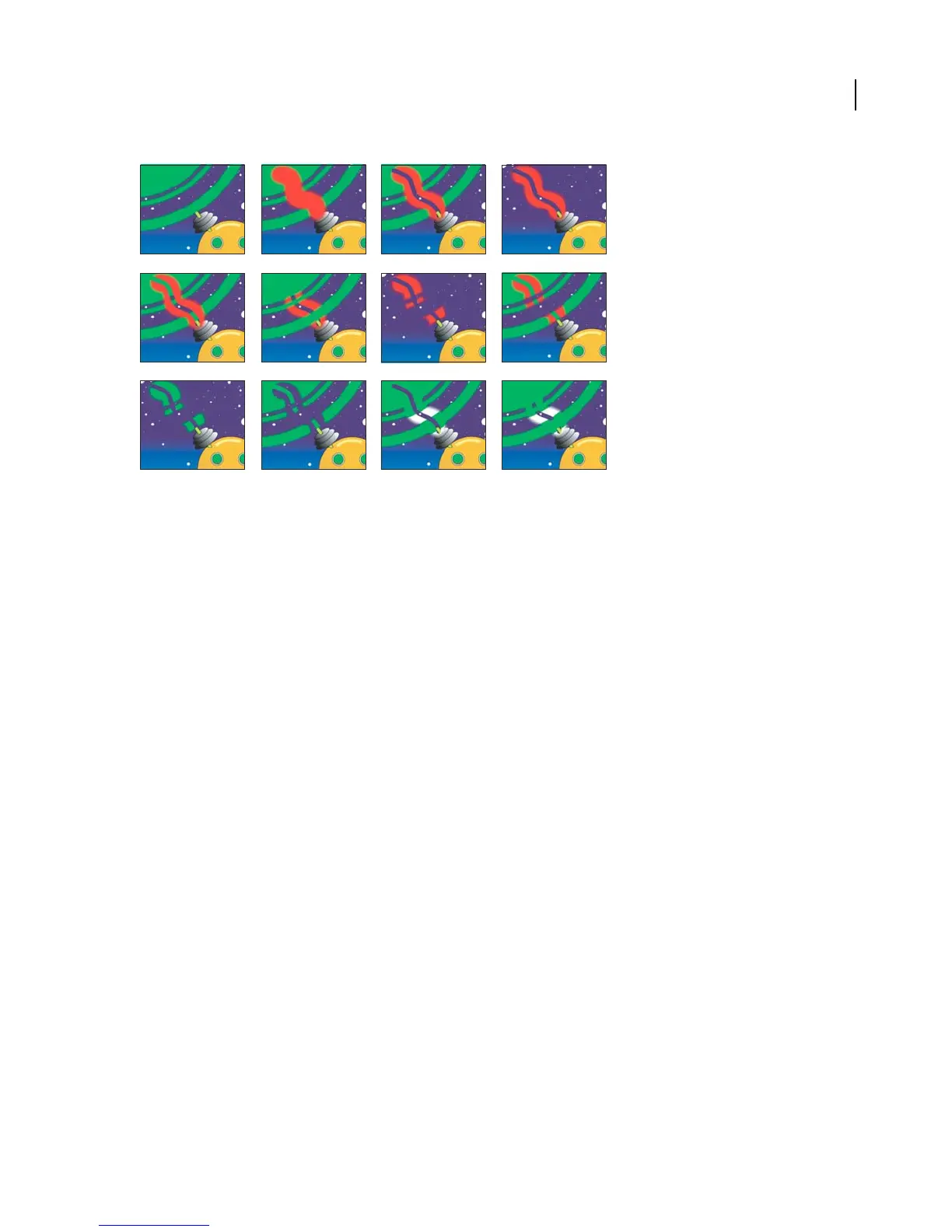
Composite Paint options
A. In Original (default setting), before painting The imported image is visible.
B. In Original, with paint stroke The paint strokes appear above the original image.
C. In Original, with paint stroke and erasure stroke Anerasurestrokeremovesunderlyingportionsofboththepaint
stroke and the original image.
D. Only The original image on the layer does not appear in the working view; only paint strokes are shown. Erasures
remove only paint, not the original image.
E. Over Original The original image is visible in the working view, similar to the In Original option. Painting and
erasing occur as with the Only option: Erasing removes pixels from underlying paint strokes but does not alter the
original image.
F. Under Original The layer image is visible in the working view. Painting does not alter the original image; it affects
only areas of the layer that are outside the original image. Erasures remove only paint pixels, not the original image.
G. Track Original Matte The original image is not visible in the working view. Paint strokes are visible. Painting
affects only the area within the original image alpha channel (that is, paint applied within the original circle area).
Erasures remove only existing paint pixels.
H. Track Original Matte Visible The original image is visible in the working view. Otherwise, Vector Paint strokes
behave exactly as with Track Original Matte, so erasures do not affect the original image.
I. As Matte Before you paint, nothing is visible in working view. Paint strokes affect only the matte, revealing the
underlying original image. Erasures add back areas of opacity, so that they appear to erase the underlying image
again. Both types of strokes are restricted to the area of the original alpha channel.
J. As Inverse Matte Before you paint, the original image is visible in the working view. Painting affects only areas
within the original image alpha channel. Paint strokes block (rather than reveal) the original image, appearing to
erase the original image. Erasures remove only painting strokes, (that is, they re-reveal the underlying image within
the alpha channel).
K. In Original Alpha Only The original image appears within its alpha channel in working view. Strokes affect the
alpha channel itself. Painting adds areas of opacity. Erasures add areas of transparency.
A BC D
EFGH
IJKL



 To Next Page