ADOBE AFTER EFFECTS 7.0
User Guide
401
Set Channels effect
The Set Channels effect copies channels from other layers to the red, green, blue, and alpha channels of the current
layer.Forexample,youcantaketheluminanceofonelayerandputitintothecolorchanneloftheselectedlayer.All
source layers are centered in the current layer. With Best quality selected, any stretched layers are anti-aliased.
Use Stretch Layers To Fit to resize all other layers to the size of the layer to which Set Channels is being applied.
This effect works with 8-bpc and 16-bpc color.
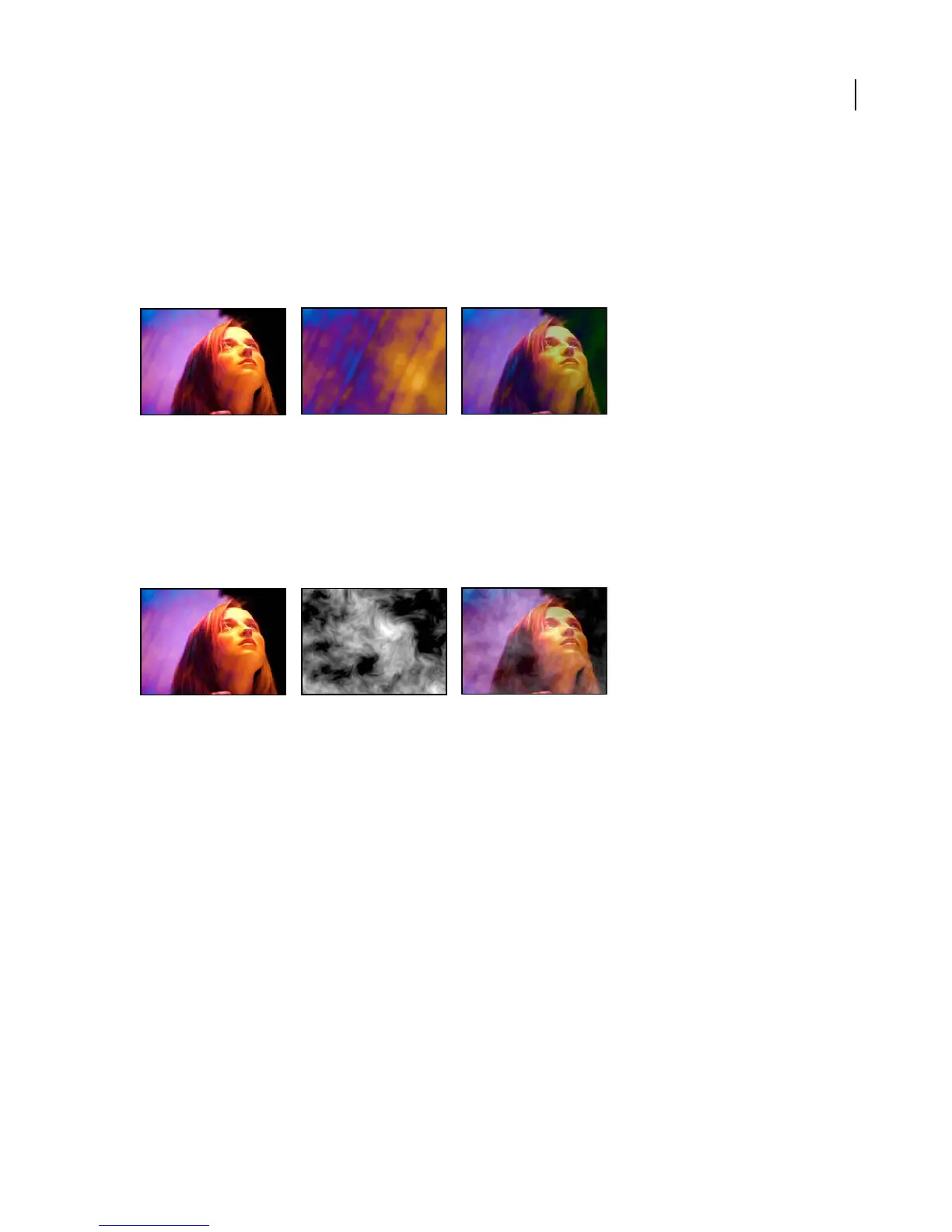
Original (left); background (center); result (right)
Set Matte effect
The Set Matte effect replaces the alpha channel (matte) of a layer with a channel from another layer above it for the
creation of traveling matte effects. The Set Matte effect is intended only to provide compatibility with projects created
in earlier versions of After Effects that use the Set Matte effect.
This effect works with 8-bpc and 16-bpc color.
Original (left) matte layer (center) result (right)
To create a traveling matte using the Set Matte effect, set up the motion of the matte layer and precompose that layer
with all properties. Use the resulting composition as the layer from which to take the matte. Although you can use
Set Matte for a traveling matte, it is easier and faster to create traveling mattes by using a track matte. (See “About
track mattes and traveling mattes” on page 279.)
Adjust the following controls for the Set Matte effect:
Take Matte From Layer Specifies the layer to use as the replacement matte. You can specify any layer in the compo-
sition.
Use For Matte Specifies the channel of the specified layer to use for the matte.
Invert Matte Inverts the transparency values of the matte.
Stretch Matte To Fit Scales the selected layer to match the size of the current layer. If Stretch Matte To Fit is
deselected, the layer designated as the matte is centered in the first layer.
Composite Matte With Original Composites the new matte with the current layer, rather than replacing it. The
resultingmatteallowstheimagetoshowthroughonlywherethecurrentmatteandthenewmattebothhavesome
opacity.
Premultiply Matte Layer Premultiplies the new matte layer with the current layer.



 To Next Page