ADOBE AFTER EFFECTS 7.0
User Guide
600
Using Post-Render Action options
About Post-Render Action options
After a composition is rendered, After Effects can automate simple tasks through options available in the Post-
Render Action menu. These options allow you to prerender footage items and then replace existing footage or set
proxies.
Note: YoucanchooseaPost-RenderActionoptioninanOutputModuletemplate,sobeawarethatchangingtheOutput
Module template could also change the Post-Render Action option. (See “To change output module settings” on
page 607.)
To specify Post-Render Action options
The Post-Render Action menu specifies the action you want After Effects to perform after it renders the item. You
can choose Post-Render Action options in the Render Queue panel.
Note: Choosing Pre-render from the Composition menu adds a selected composition to the render queue and sets the
Post-Render Action option to Import & Replace Usage.
1 Place the item you want to render in the Render Queue panel. (See “To work in the Render Queue panel” on
page 602.)
2 Expand the Output Module, and choose one of the following from the Post-Render Action menu:
None Performs no post-render action. This option is the default.
Import Imports the rendered file to the project when the rendering is complete.
Import & Replace Usage Imports the rendered file and substitutes it for each use of the specified Project panel item.
Drag the pick whip to the Project panel item to specify it.
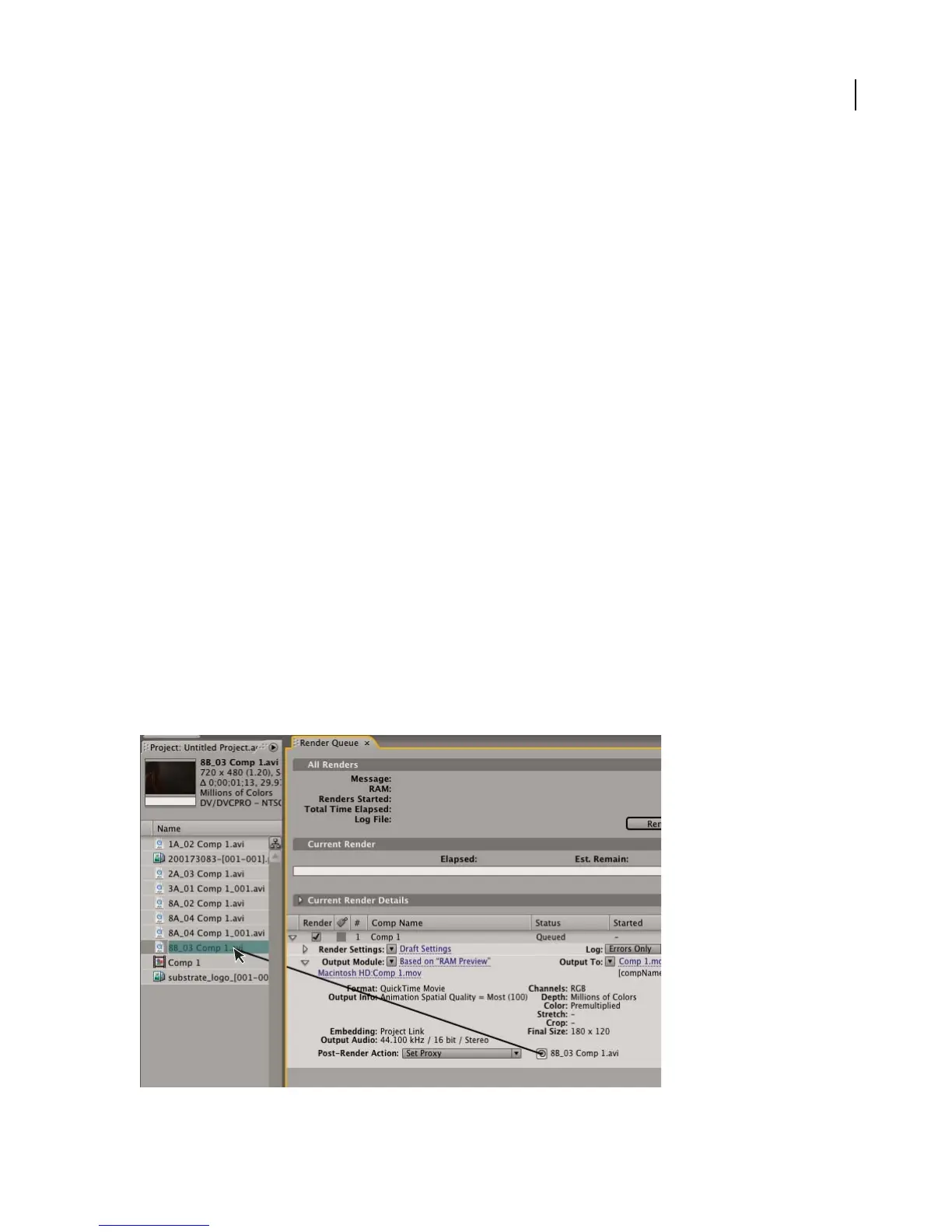
Set Proxy Sets the rendered file as a proxy for the specified project item. Drag the pick whip to the Project panel item
to specify it.
Setting a render item (right) as a proxy for a project item (left) using the Post-Render Action pick whip



 To Next Page