ADOBE AFTER EFFECTS 7.0
User Guide
233
Note: For best results, replace the layer with a composition that has the same frame size as the layer, and reverse the layer
inside the composition. This is the most accurate way to reverse footage. For more information on this process, called
nesting, see “About nesting” on page 130.
1 In a Timeline panel, select the layer you want to reverse.
2 Do one of the following:
• Press Ctrl+Alt+R (Windows) or Command+Option+R (Mac OS).
• Choose Layer > Time > Time-Reverse Layer.
To reverse keyframes
For any property in a layer, you can select a range of keyframes and reverse their order without reversing the playback
direction of the layer. For example, you can reverse keyframes in the Position property to reverse the motion of an
object. You can select and reverse keyframes across multiple layers and properties, but each set of keyframes for a
property is reversed only within its original time range and not that of any other selected property. Markers in the
Timeline panel are not reversed, so you may need to move markers after reversing keyframes.
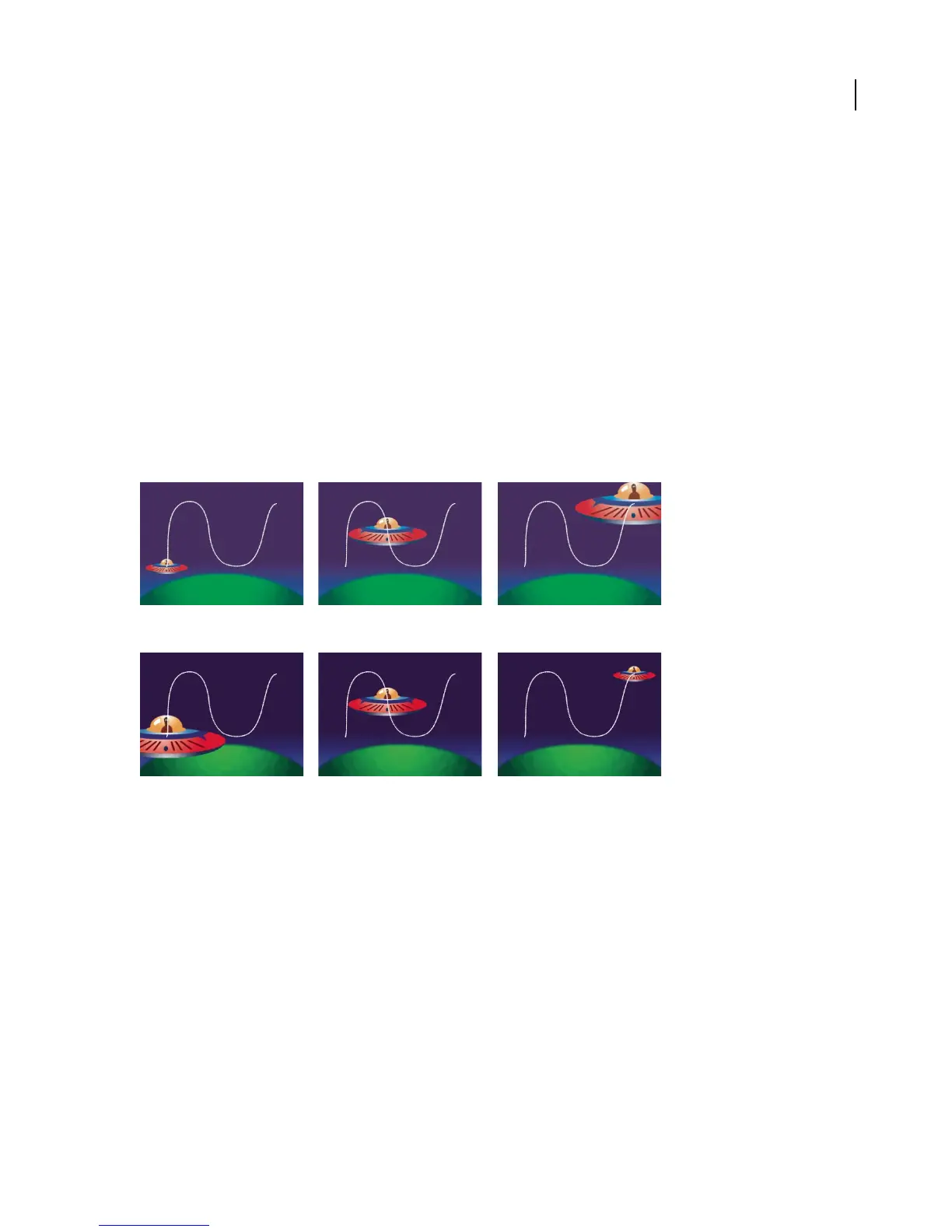
Original property values
Scale property values reversed using the Time-Reverse Keyframes keyframe assistant
1 In the Timeline panel, select a range of keyframes you want to reverse.
2 Choose Animation > Keyframe Assistant > Time-Reverse Keyframes.
About time-remapping
In After Effects, you can easily expand, compress, play backward, or freeze a portion of a layer’s duration using a
process known as time-remapping. For example, if you are using footage of a person walking, you can play footage
of the person moving forward, and then play a few frames backward to make the person retreat, and then play
forward again to have the person resume walking.



 To Next Page